$45,600
in booked revenue a mid-size HVAC shop loses each year to calls nobody picked up.
Arclyn AI answers in one ring, day or night, books the job on the call and shows it on your dashboard. Try it free for 7 days.
$45,600
in booked revenue a mid-size HVAC shop loses each year to calls nobody picked up.
27%
of calls to HVAC companies go unanswered during business hours.
85%
of callers who hit voicemail hang up and call the next company instead.
73%
called back within 5 minutes
4%
called back the next day
Booking rate by how fast a caller hears back. Speed is the whole game.
Based on published call-response and ringless-voicemail conversion studies for home service businesses, 2019 to 2024.
First ring
Arclyn AI answers in one ring, any hour, in your business's name.
On the call
It asks what your dispatcher would: service type, urgency, address, preferred time. Then it checks what's open and confirms a time on the spot. No hold music, nothing for you to run.
Before they hang up
The appointment appears on your calendar and your Arclyn AI dashboard before the caller has even hung up.
Live demo
Play the customer. Tell Arclyn AI what's wrong with your AC and ask for a visit, the same way your callers do.
Demo line
Tap the button and talk. Your browser will ask to use your microphone.
A demo line for trying Arclyn AI. Calls end after 5 minutes.
Real screenshots
Every call your AI receptionist answers, turned into a live to-do list, pipeline, jobs board and calendar. Every screen below is a real screenshot, shown with a sample account and demo data.
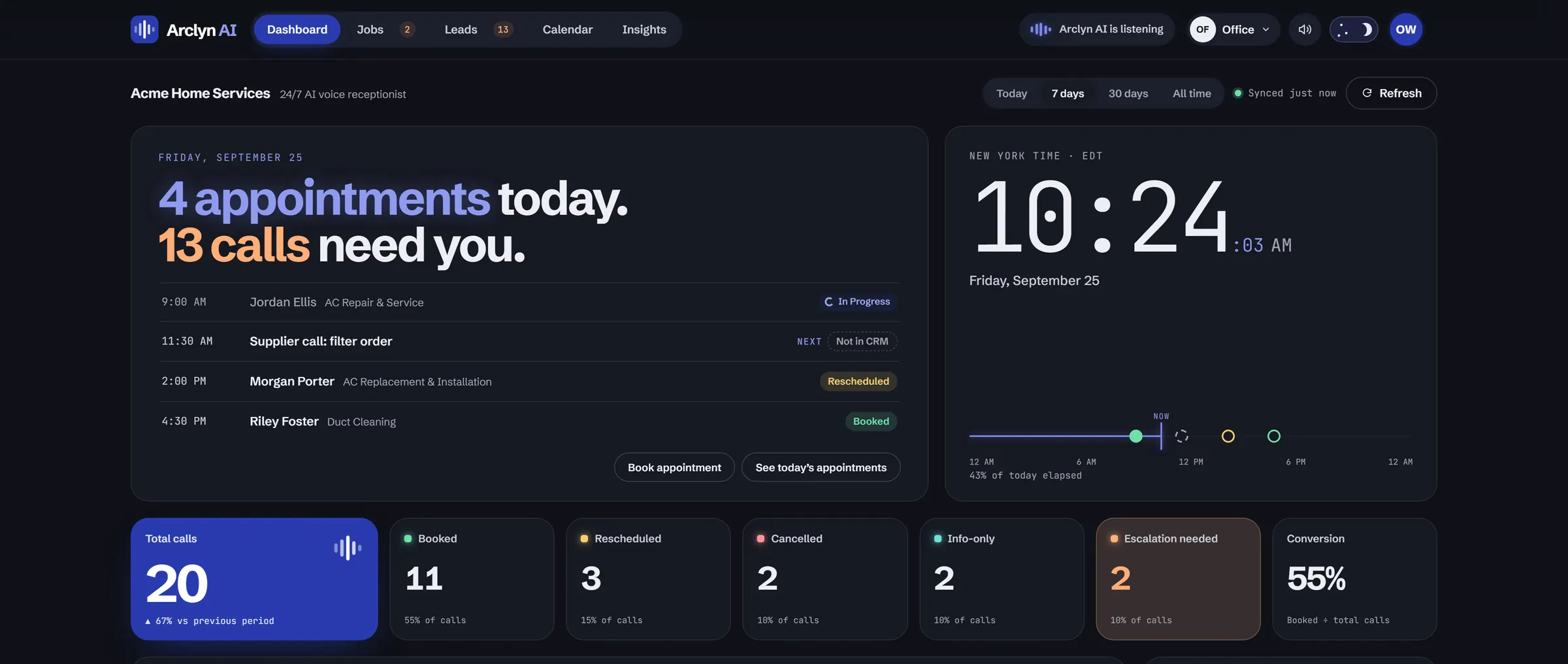
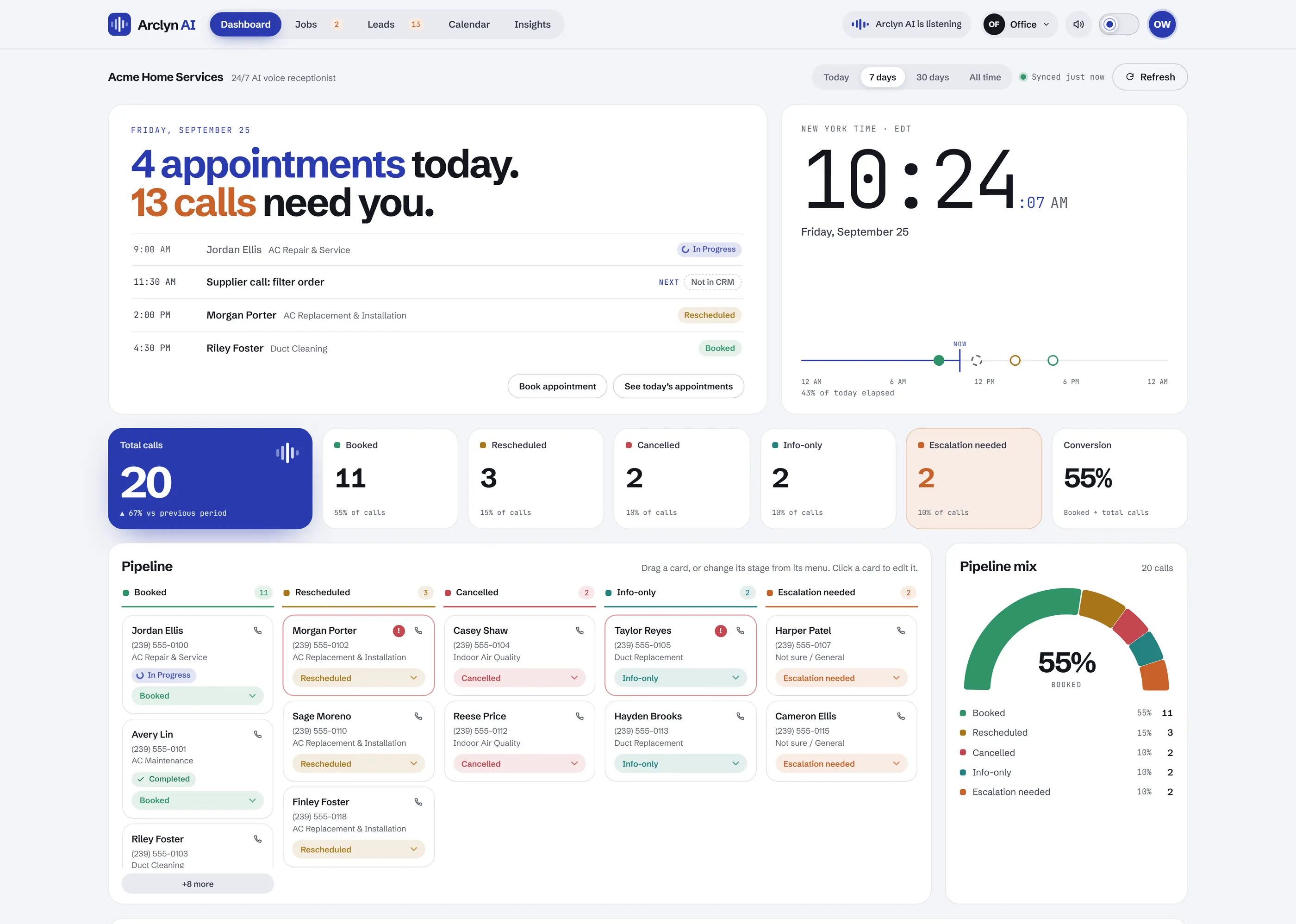
Dashboard
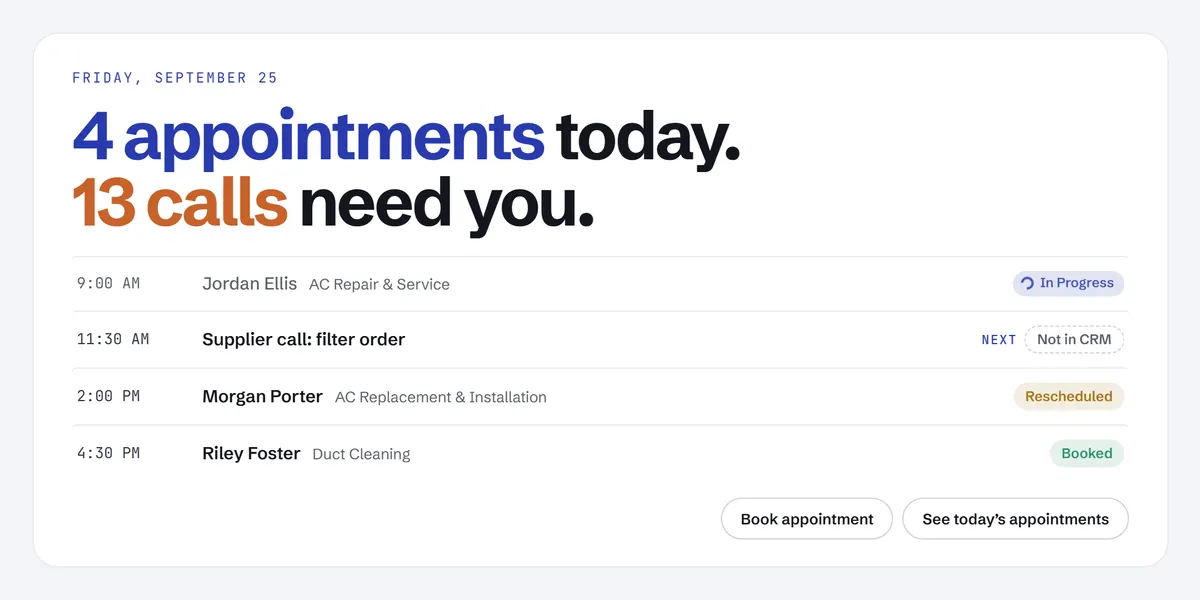
Your day on one screen: today's jobs, your numbers and every call's outcome, updated every minute.
It opens with a plain sentence: how many jobs you have today and how many calls need you.
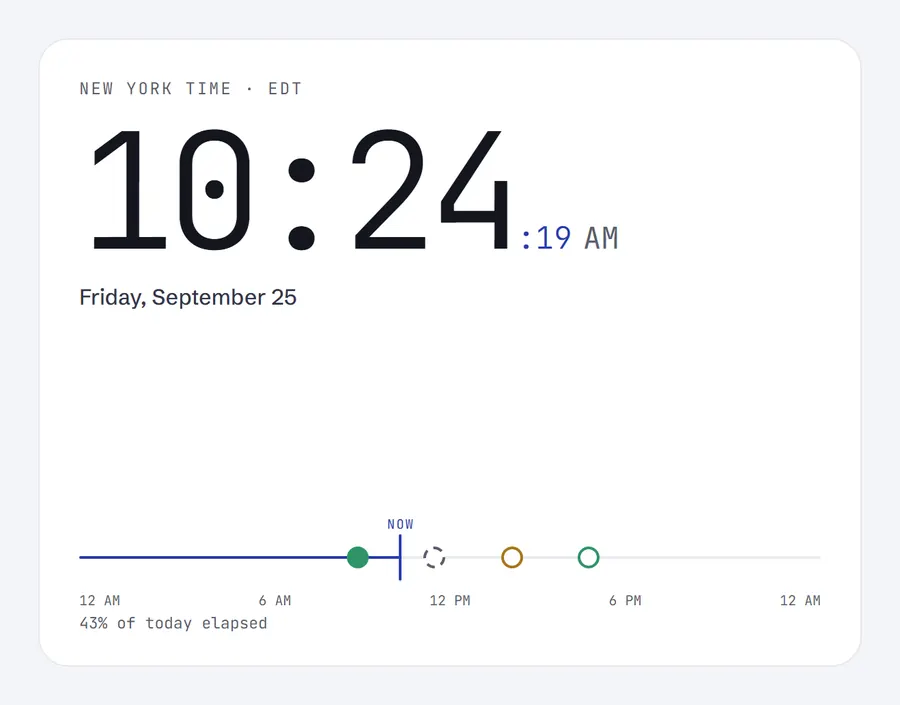
A live clock in your time zone, with a dot on the line for every appointment today.
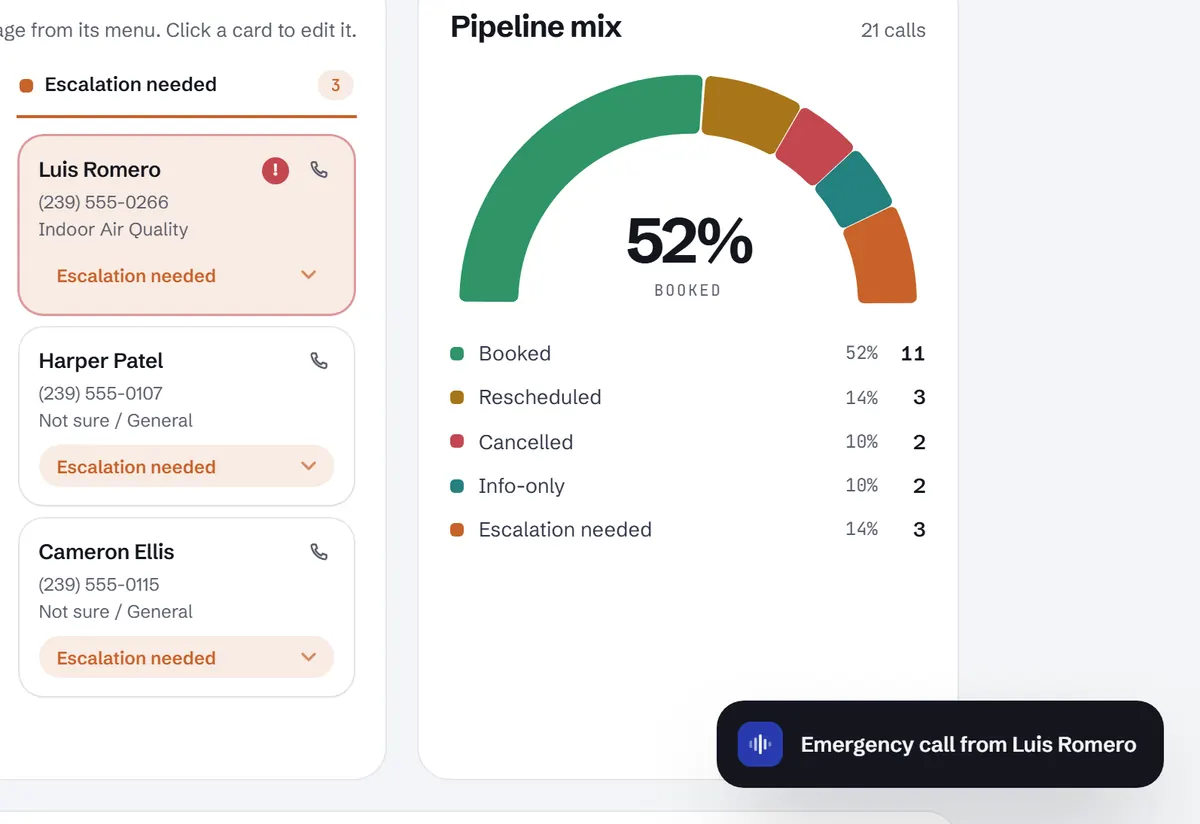
Total calls with the trend, a tile for every outcome and your conversion rate, for any period.
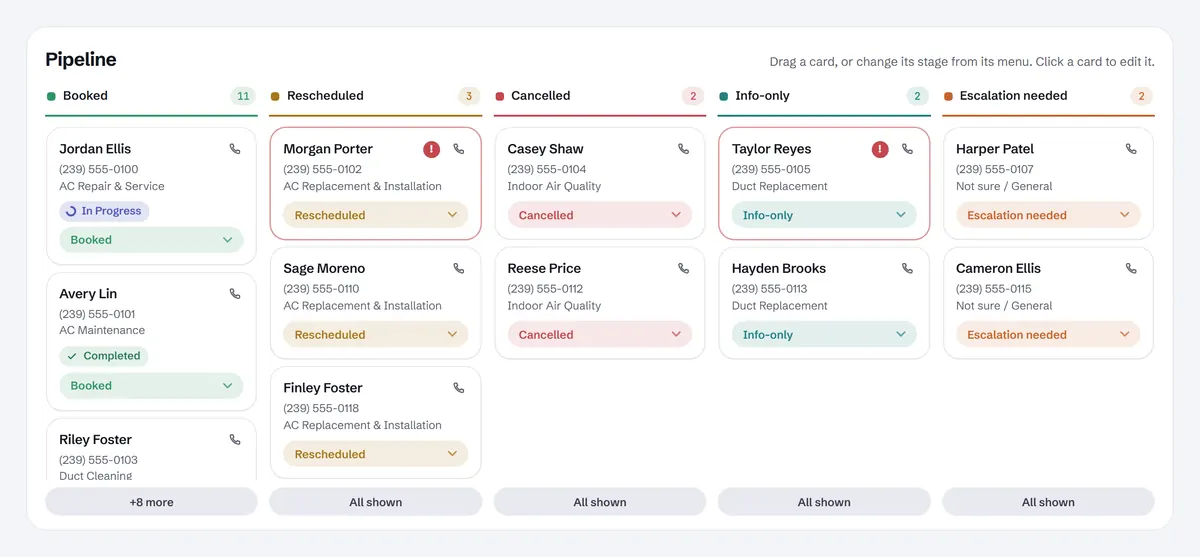
Every call sorted by outcome. Drag a card to a new stage and it saves straight to your Google Sheet.
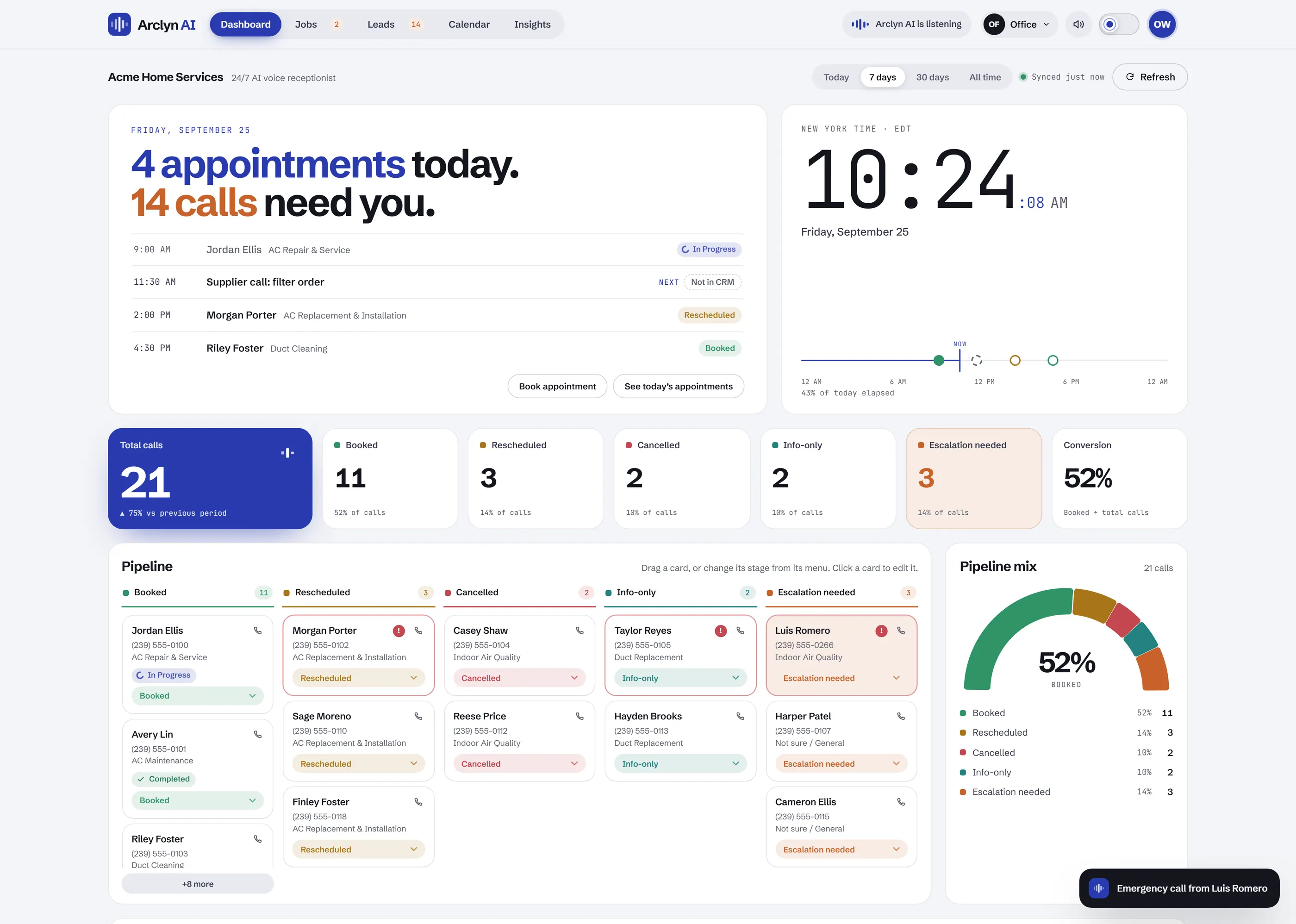
A new call rings the logo, plays a soft chime and lands in the pipeline. Emergencies get flagged.
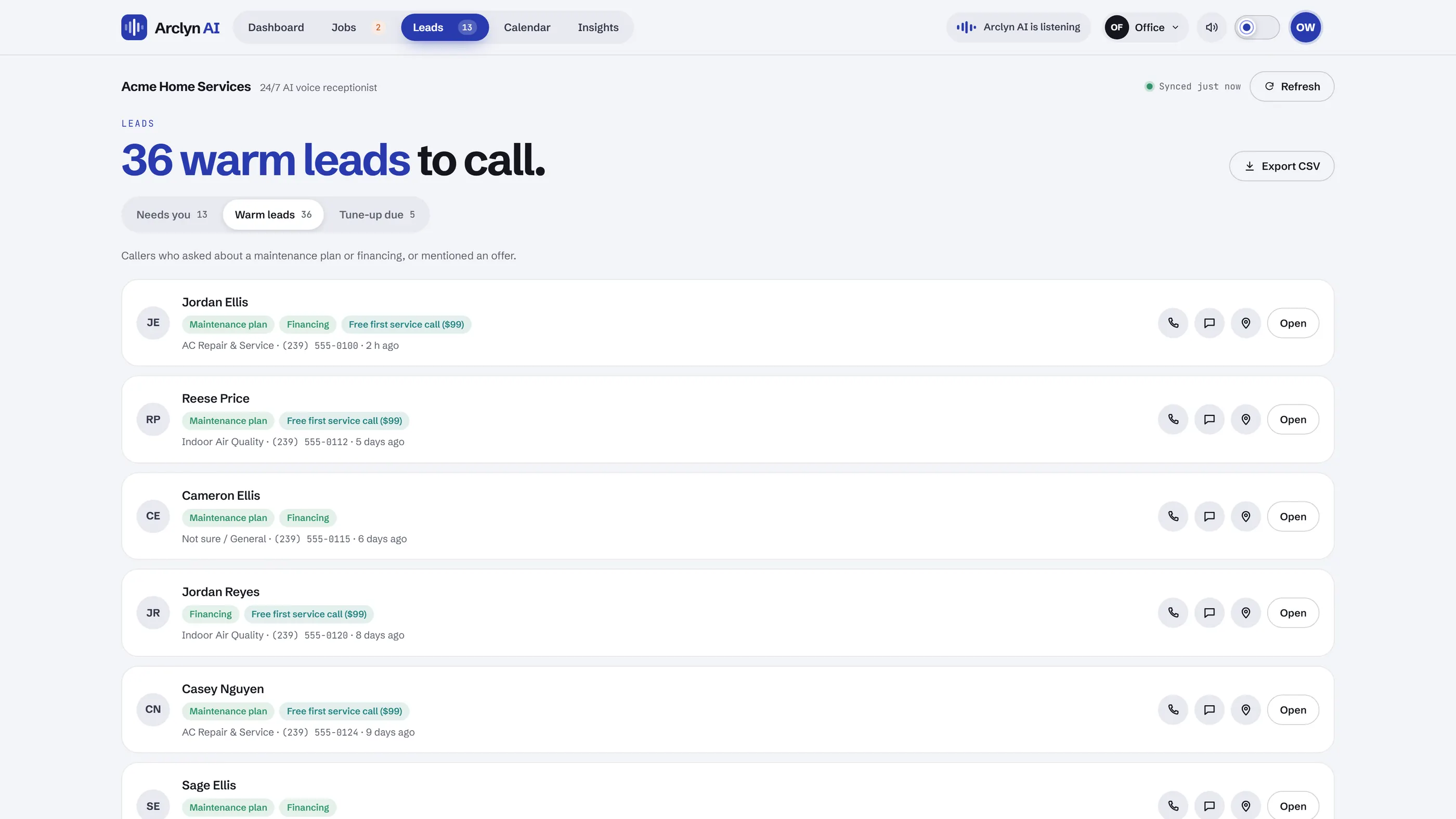
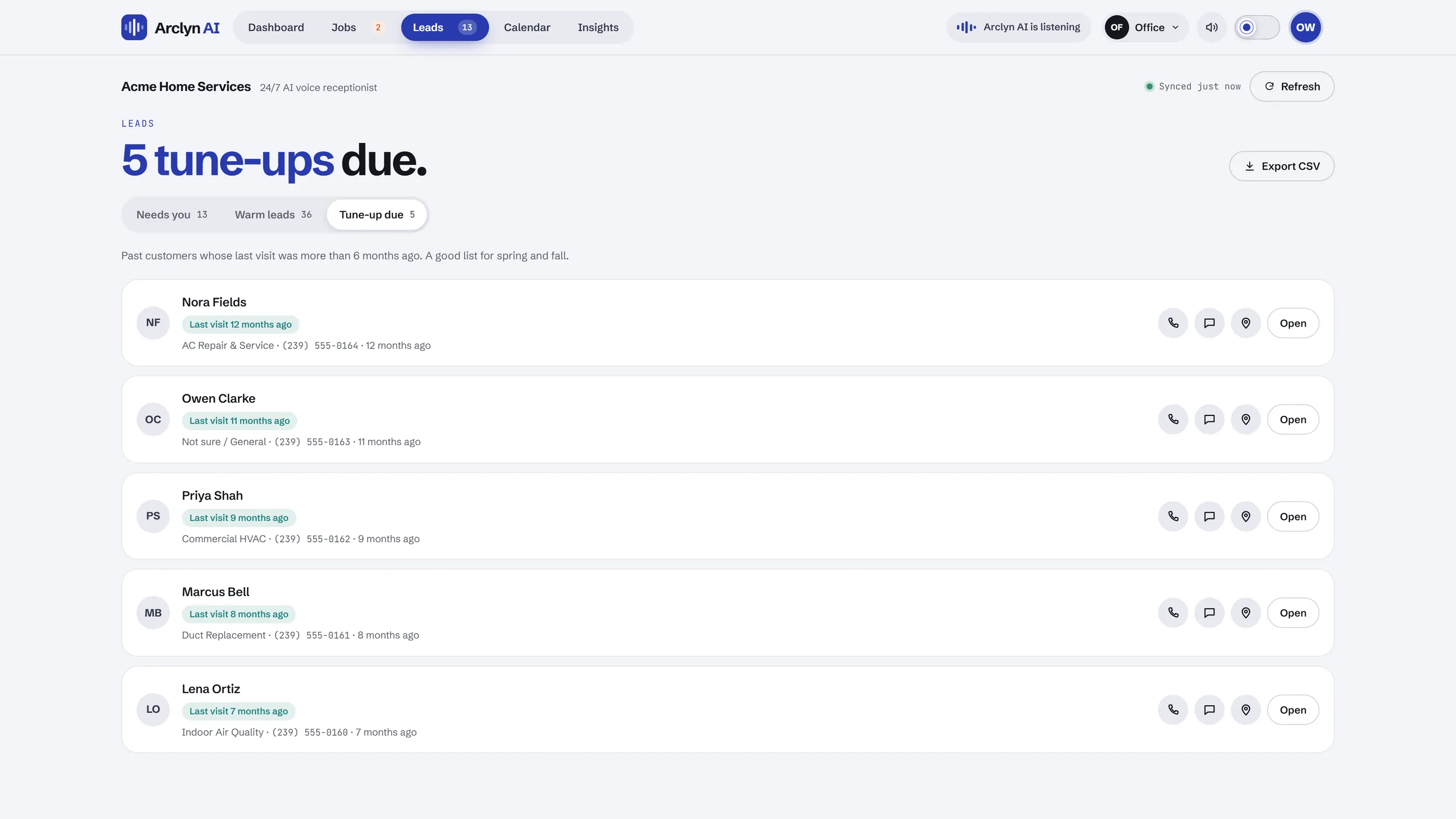
Leads
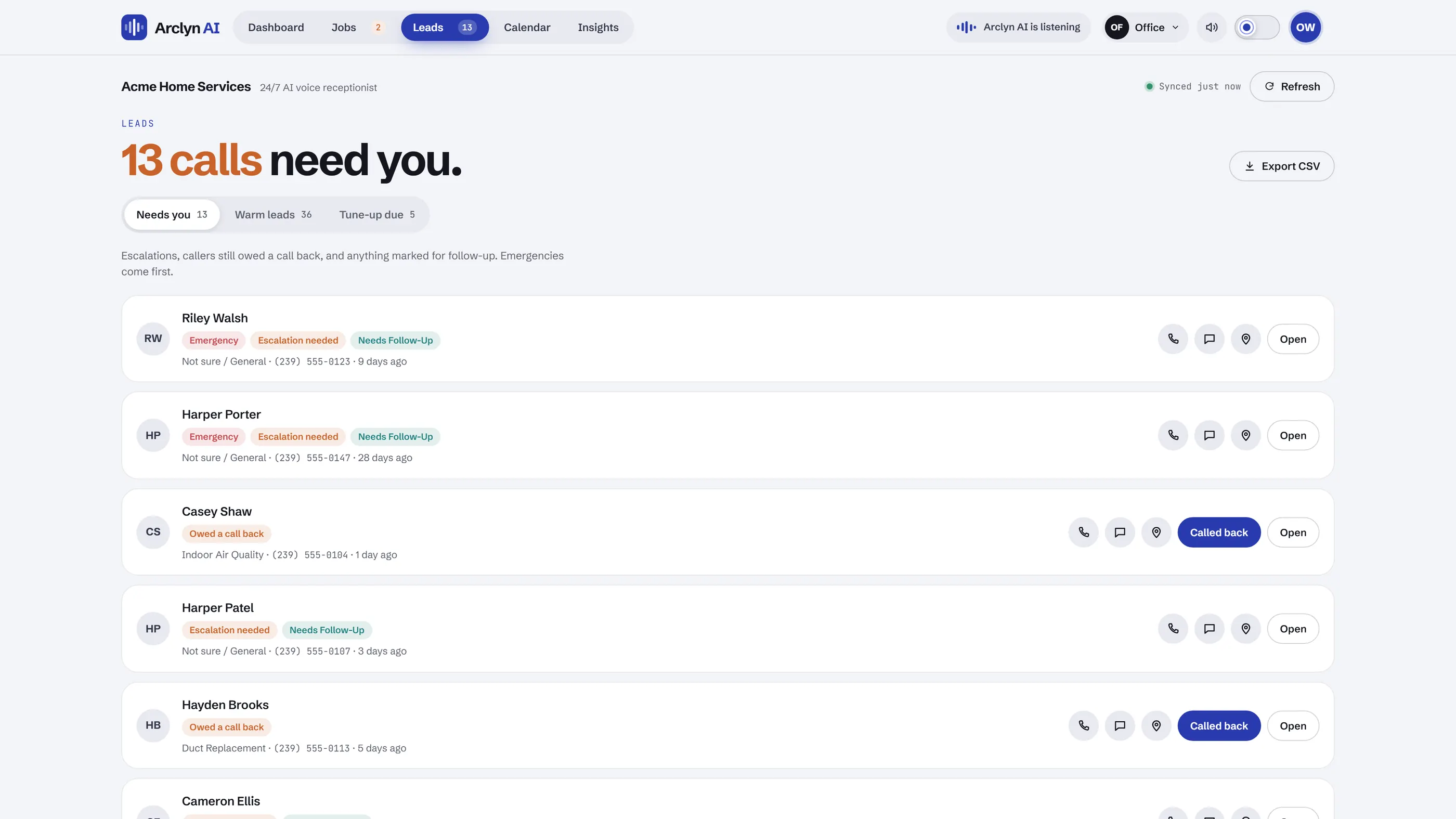
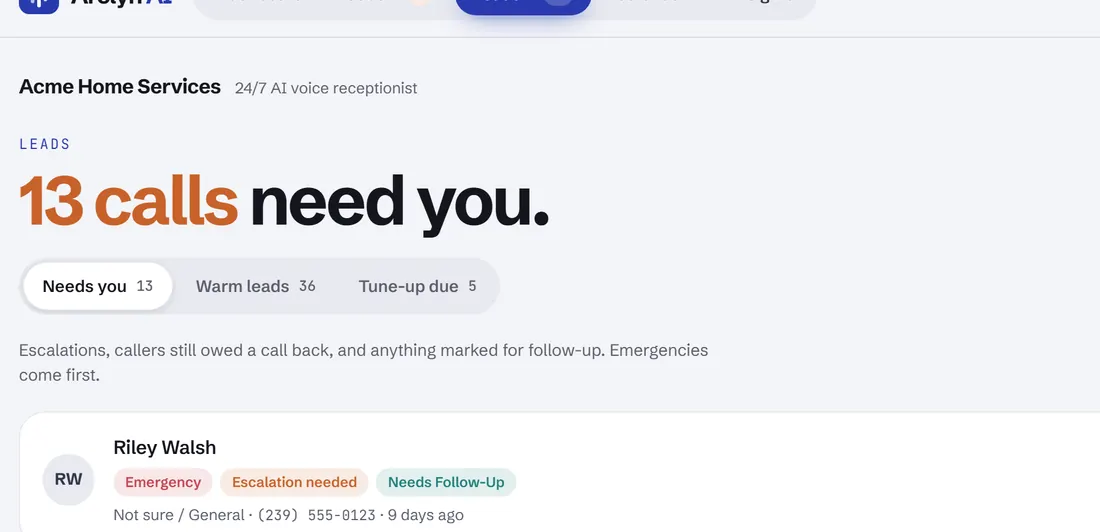
Escalations and callers still owed a call back, in one list. Emergencies always come first.
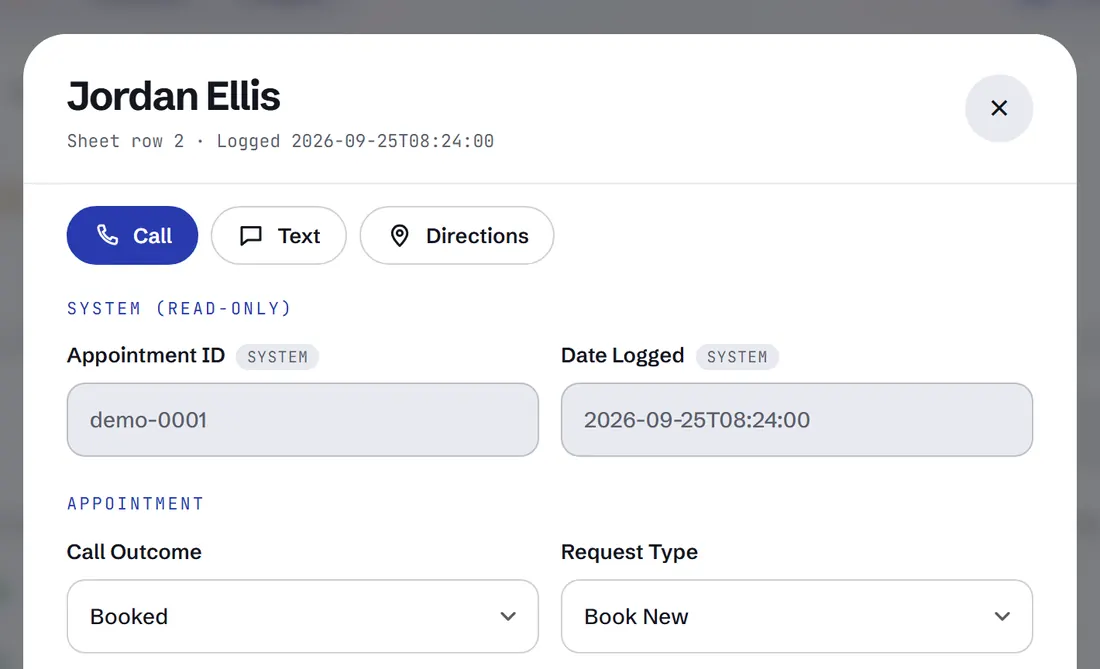
Call, text or get directions from any lead, then mark them as called back.
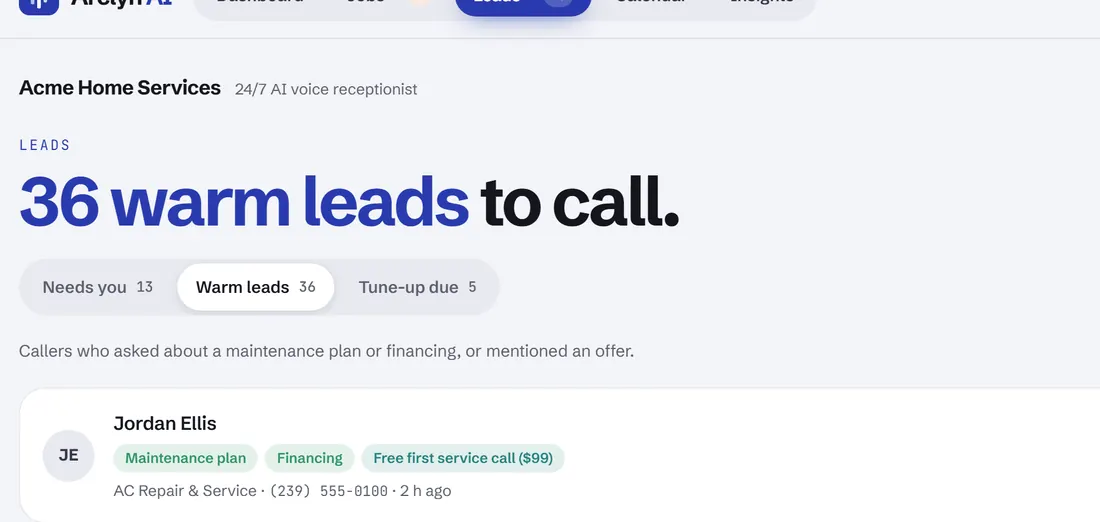
Callers who asked about a maintenance plan, financing or an offer. A ready-made sales list.
Past customers whose last visit was over six months ago. Repeat business, listed for you.
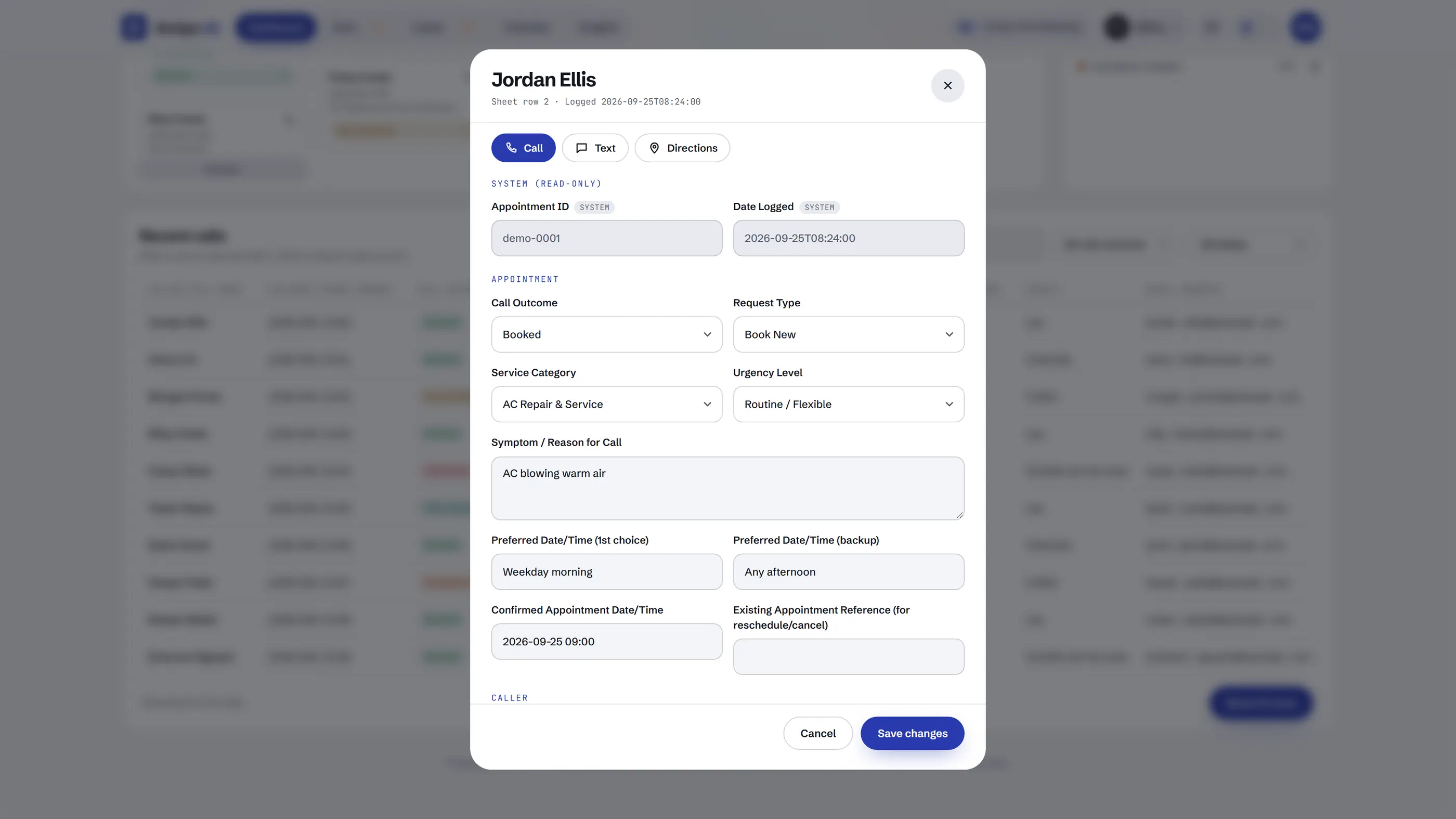
Open any call to see and edit every detail, with Call, Text and Directions at the top.
Jobs & crew
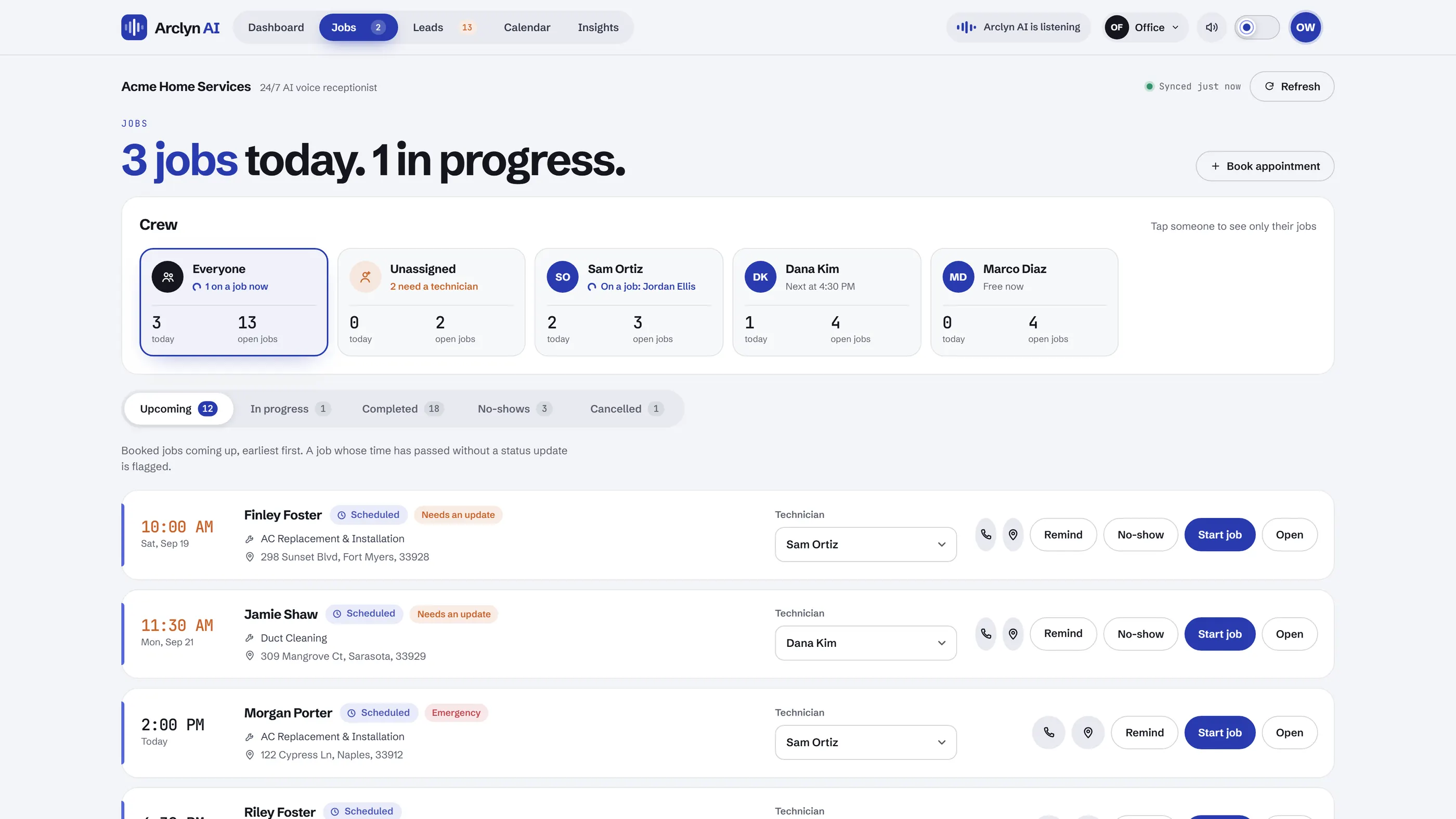
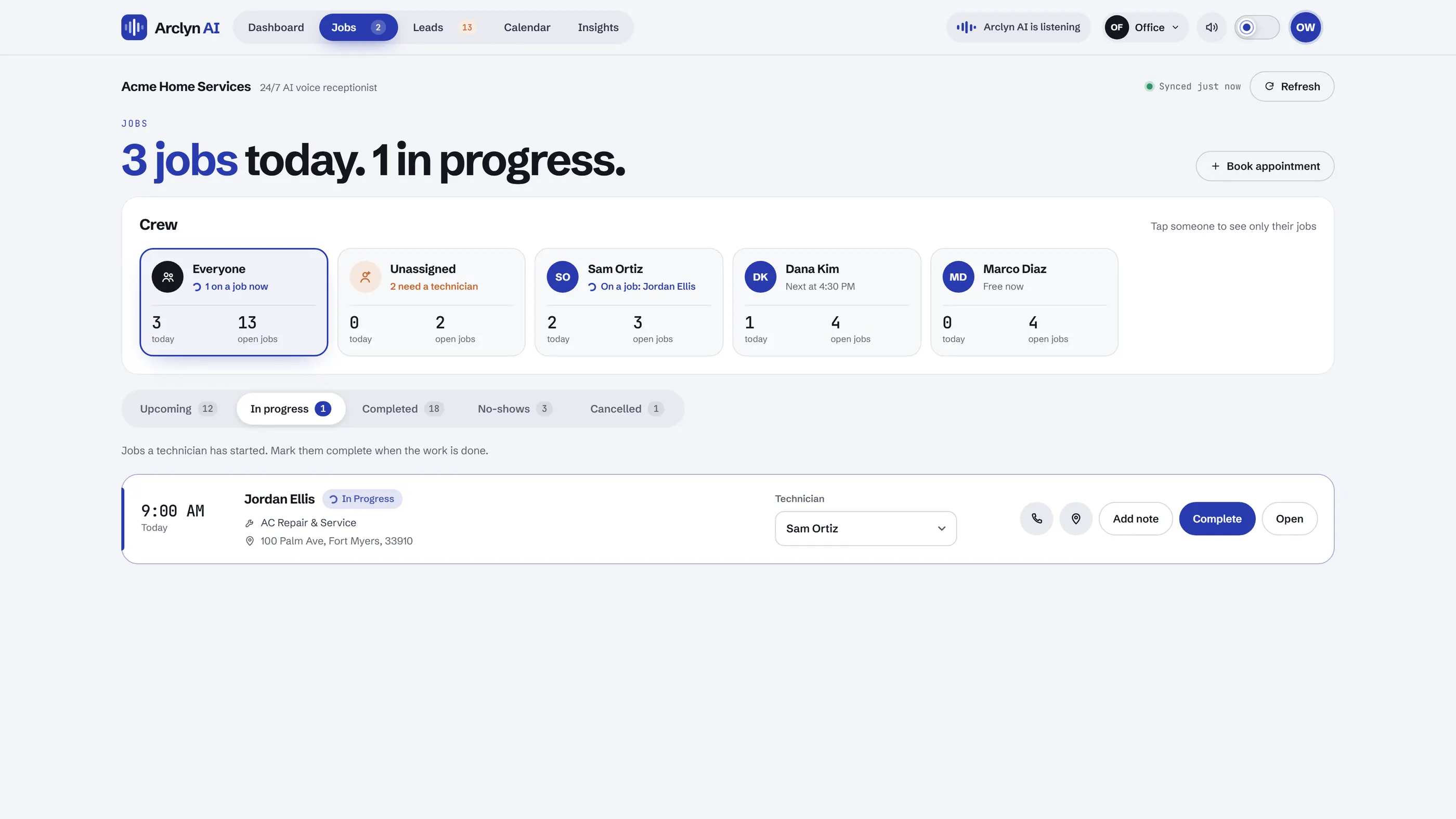
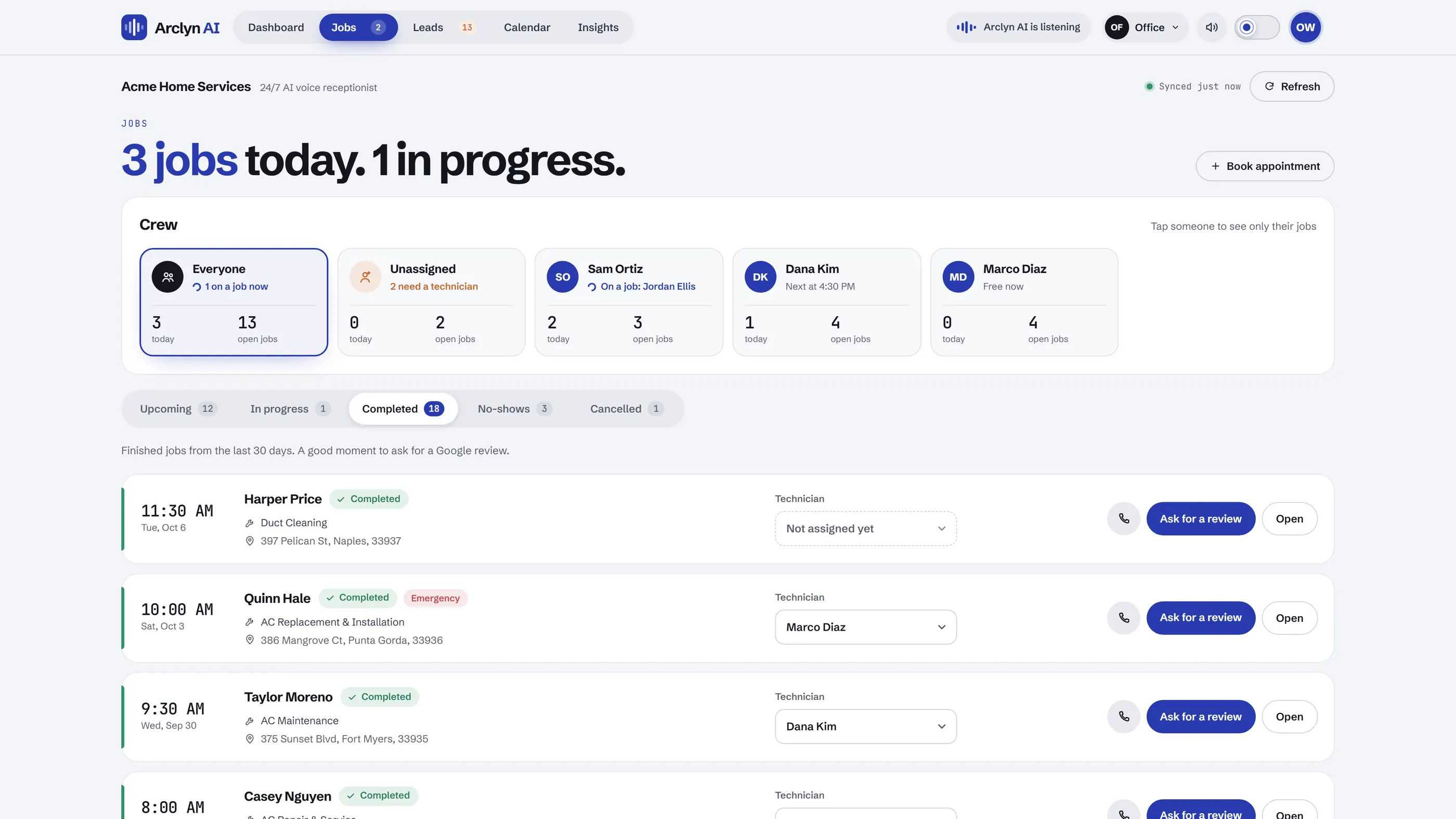
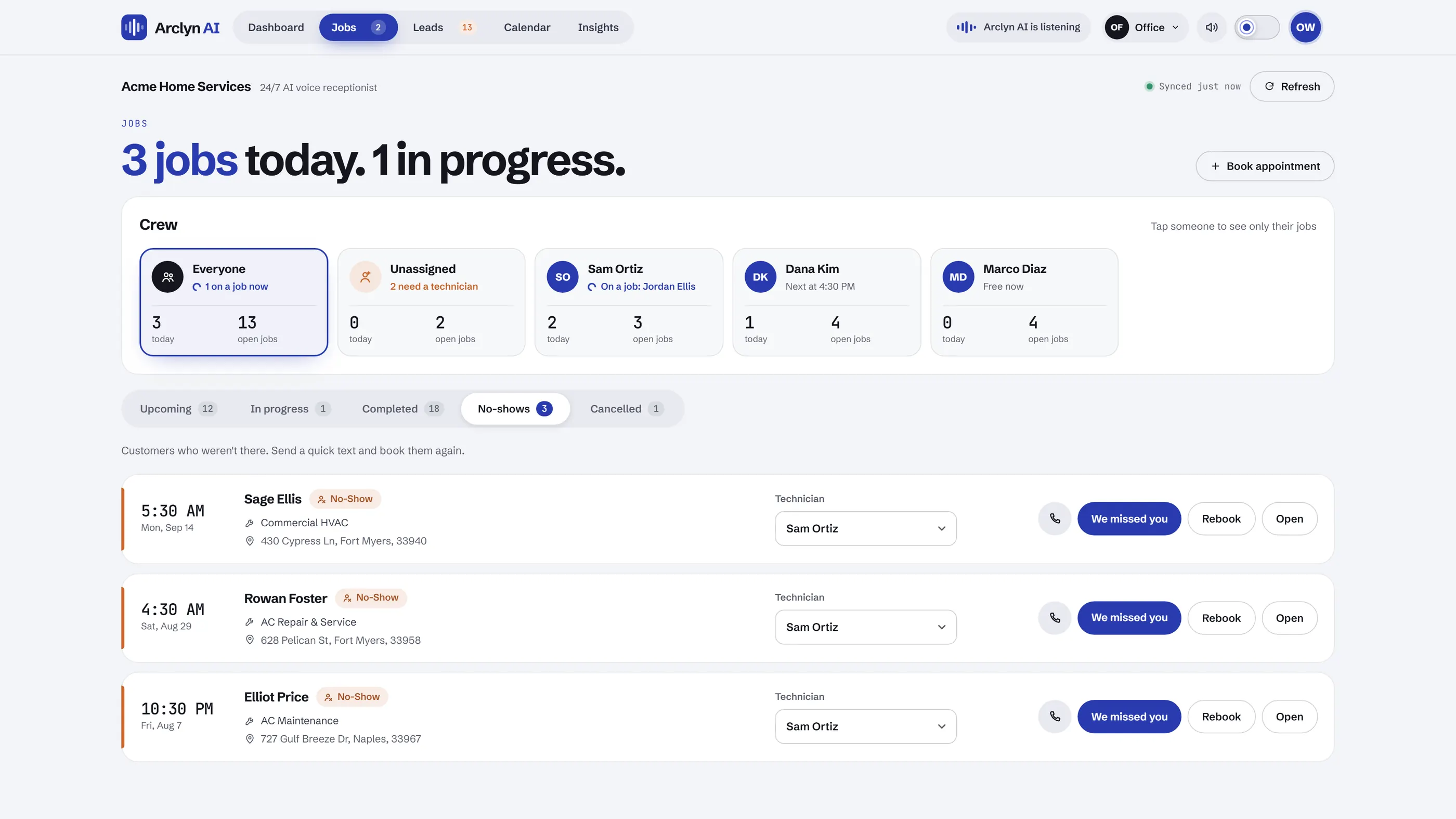
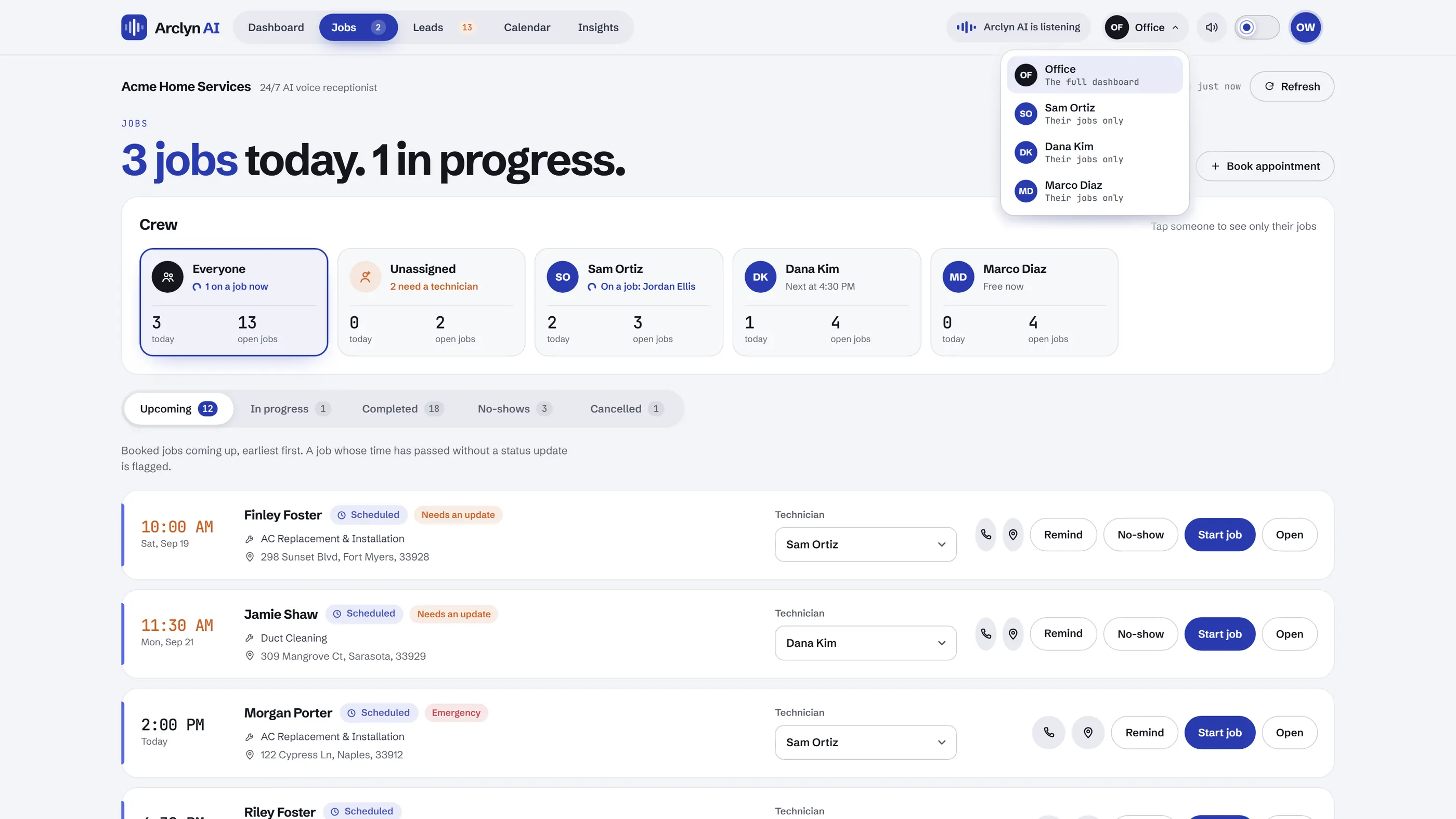
Each booked call becomes a job you can follow from scheduled to done, with the next step one tap away.
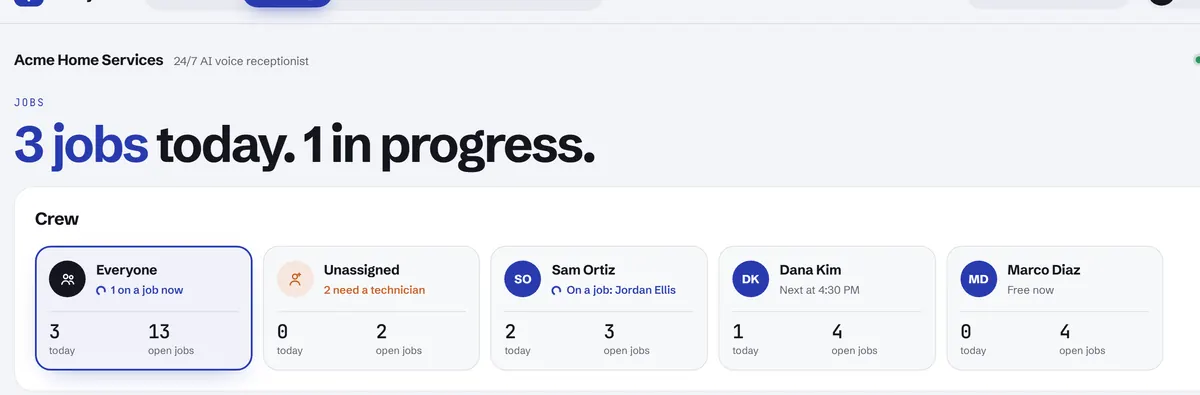
A card for every technician: today's jobs, open jobs, and whether they're on a job, next up or free.
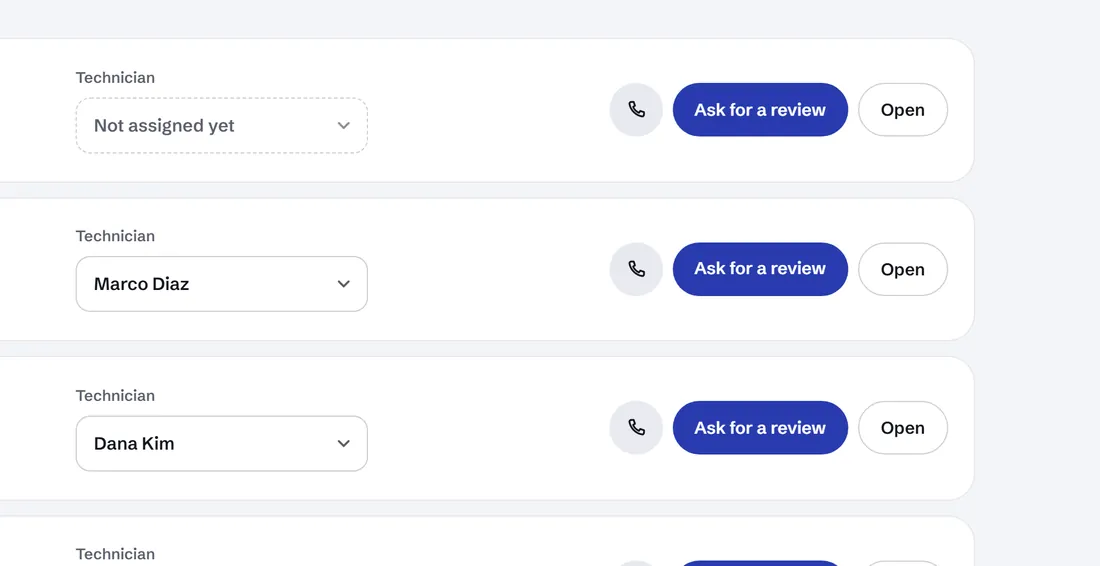
Pick a technician right on the job card. If they're already booked at that time, it warns you.
When a technician taps Start, the office sees it straight away. Complete it the same way.
Finished jobs get a one-tap text with your Google review link.
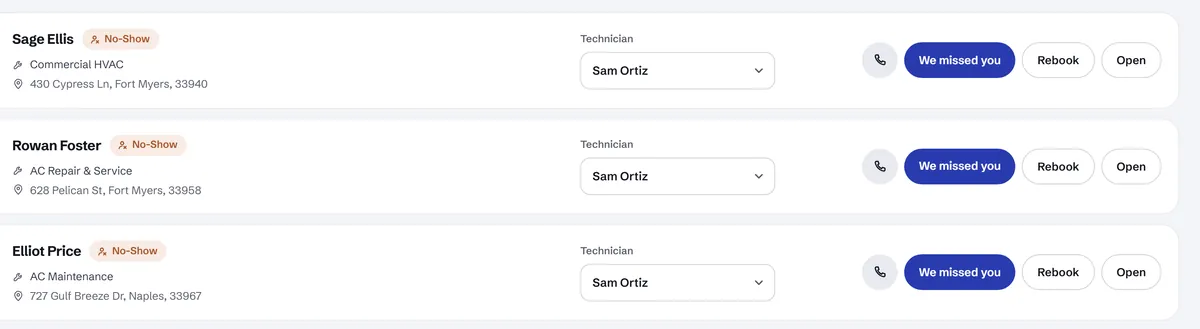
Send a ready-written "we missed you" text, then rebook with the form already filled in.
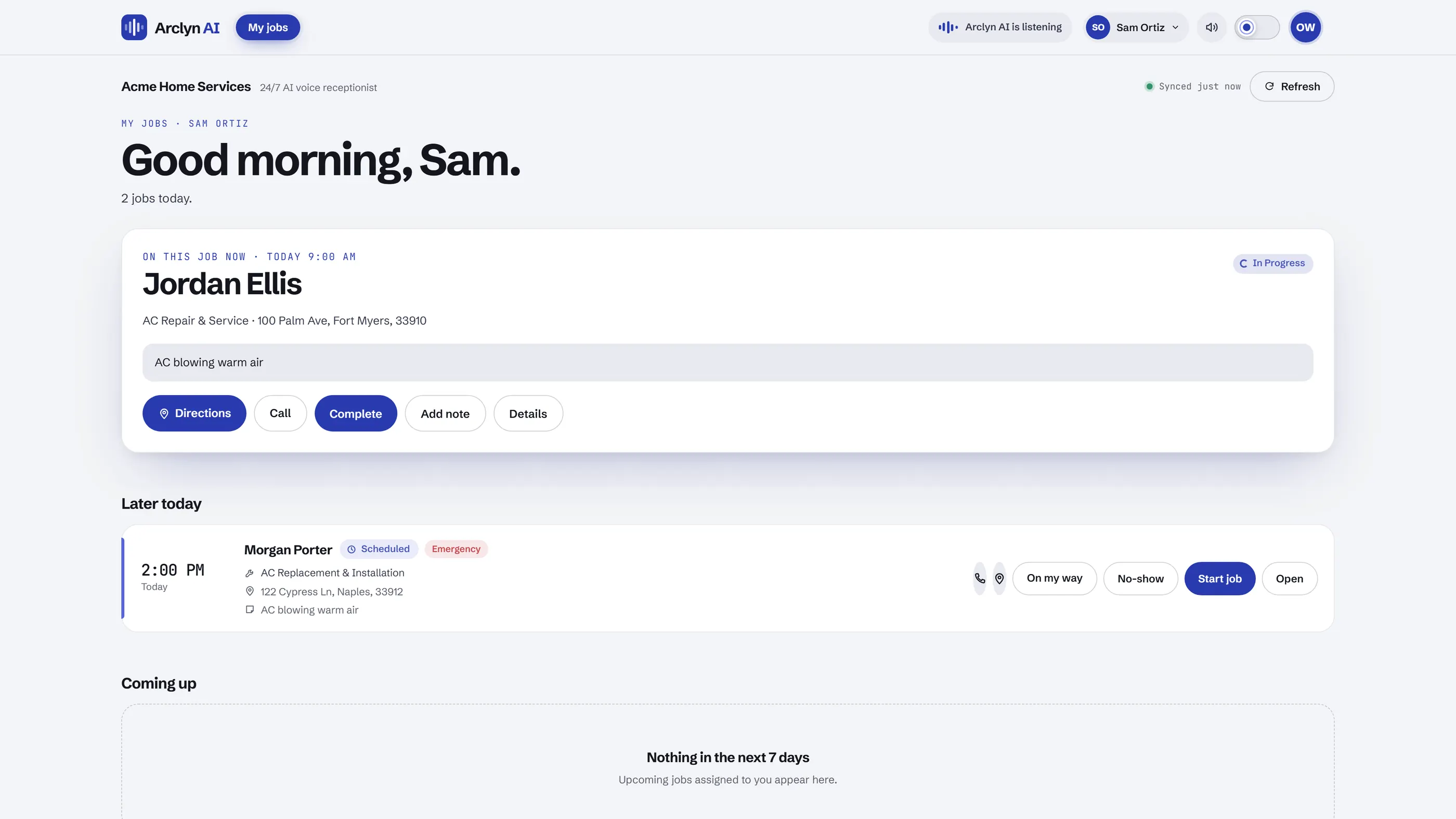
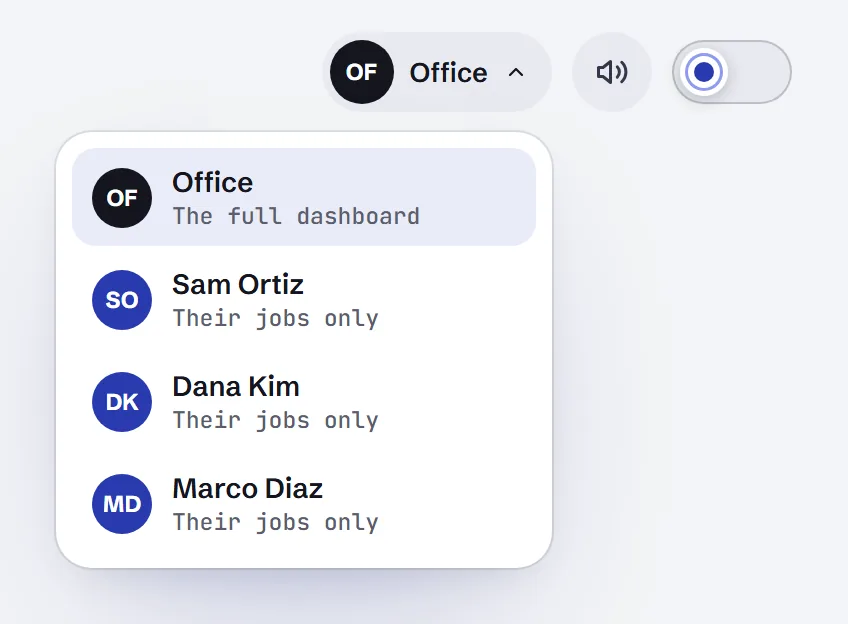
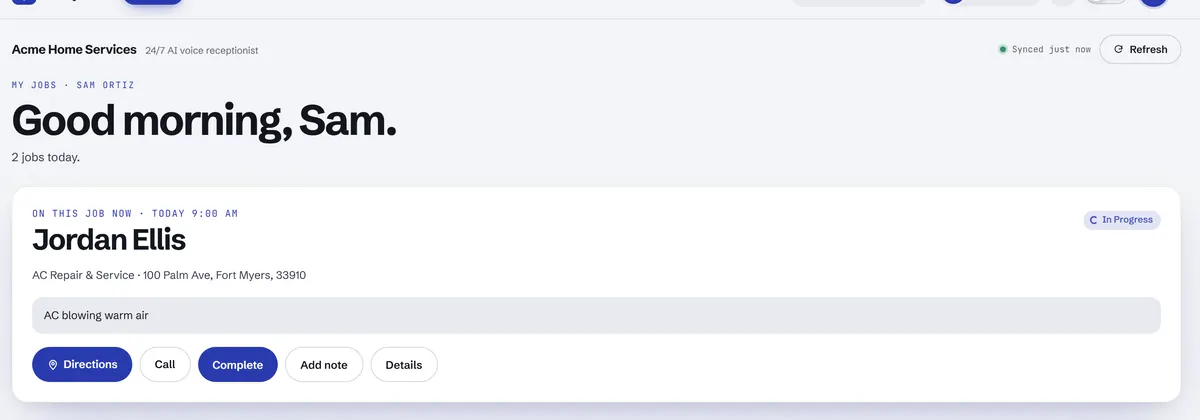
A technician picks their name once with the view switch. From then on, that phone opens on their own jobs.
Each technician opens on their own jobs: directions, an "On my way" text, Start and Complete.
Calendar & Insights
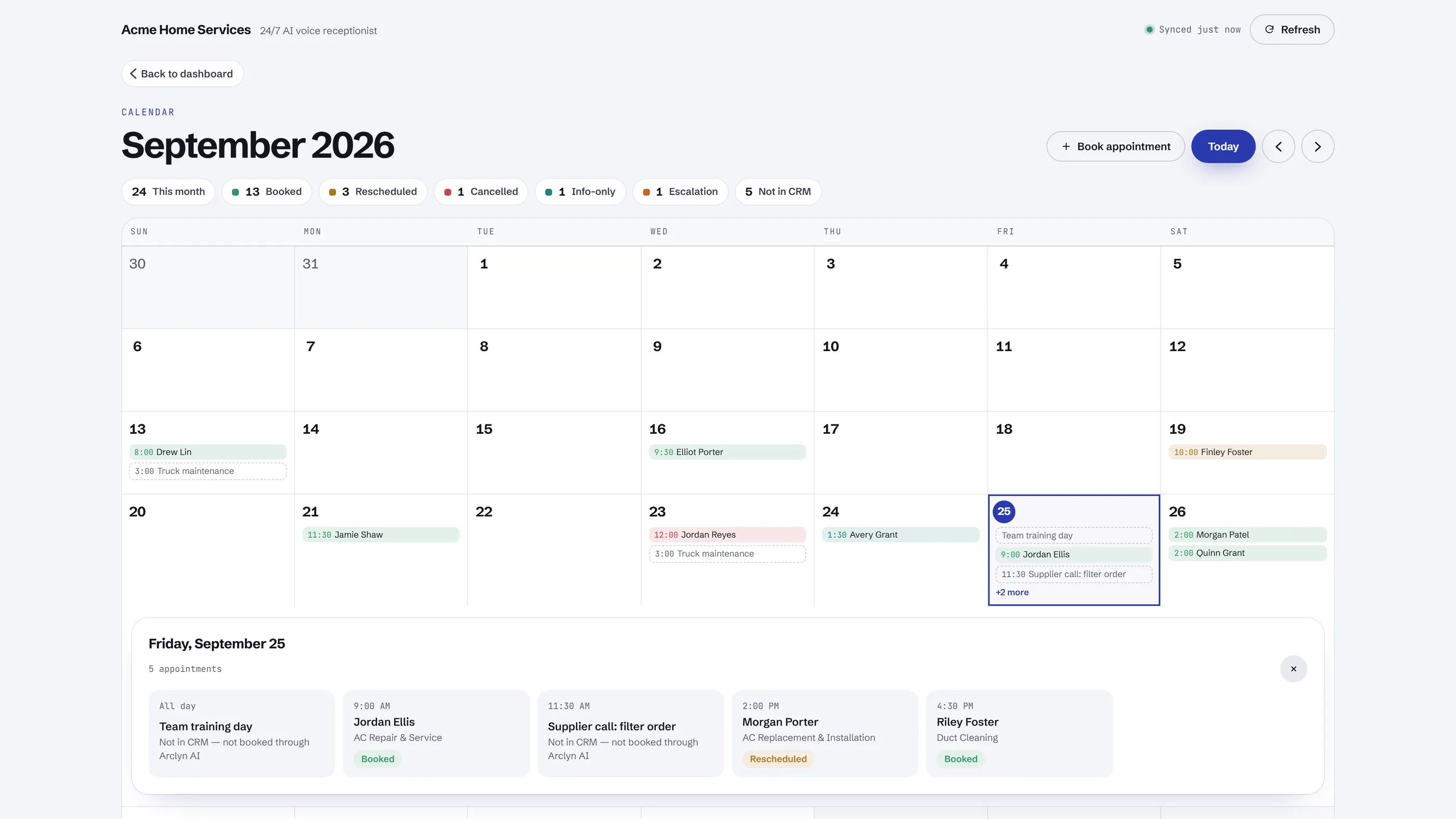
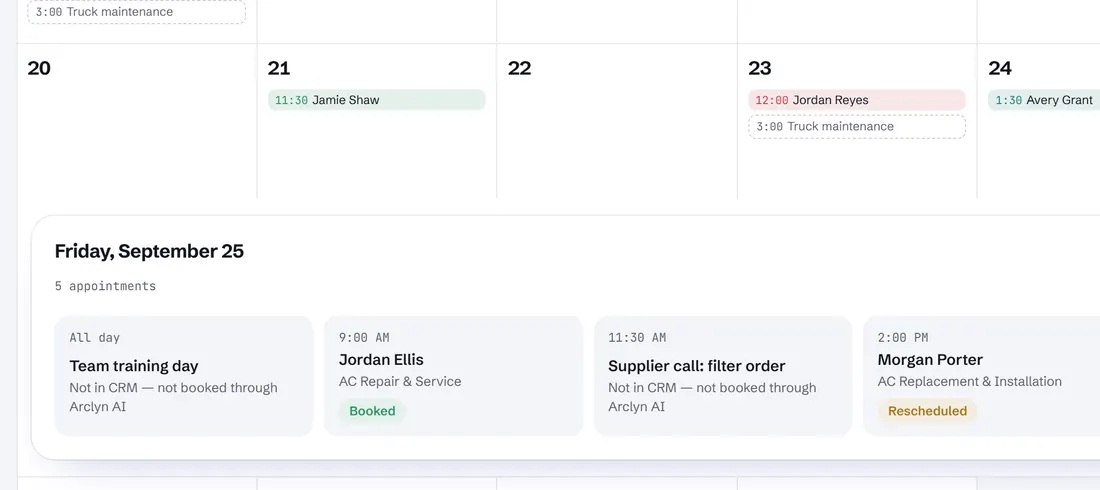
Every job from your own Google Calendar, colour-coded by outcome, including events you added yourself.
Click a day to see its full agenda: time, customer, service and status.
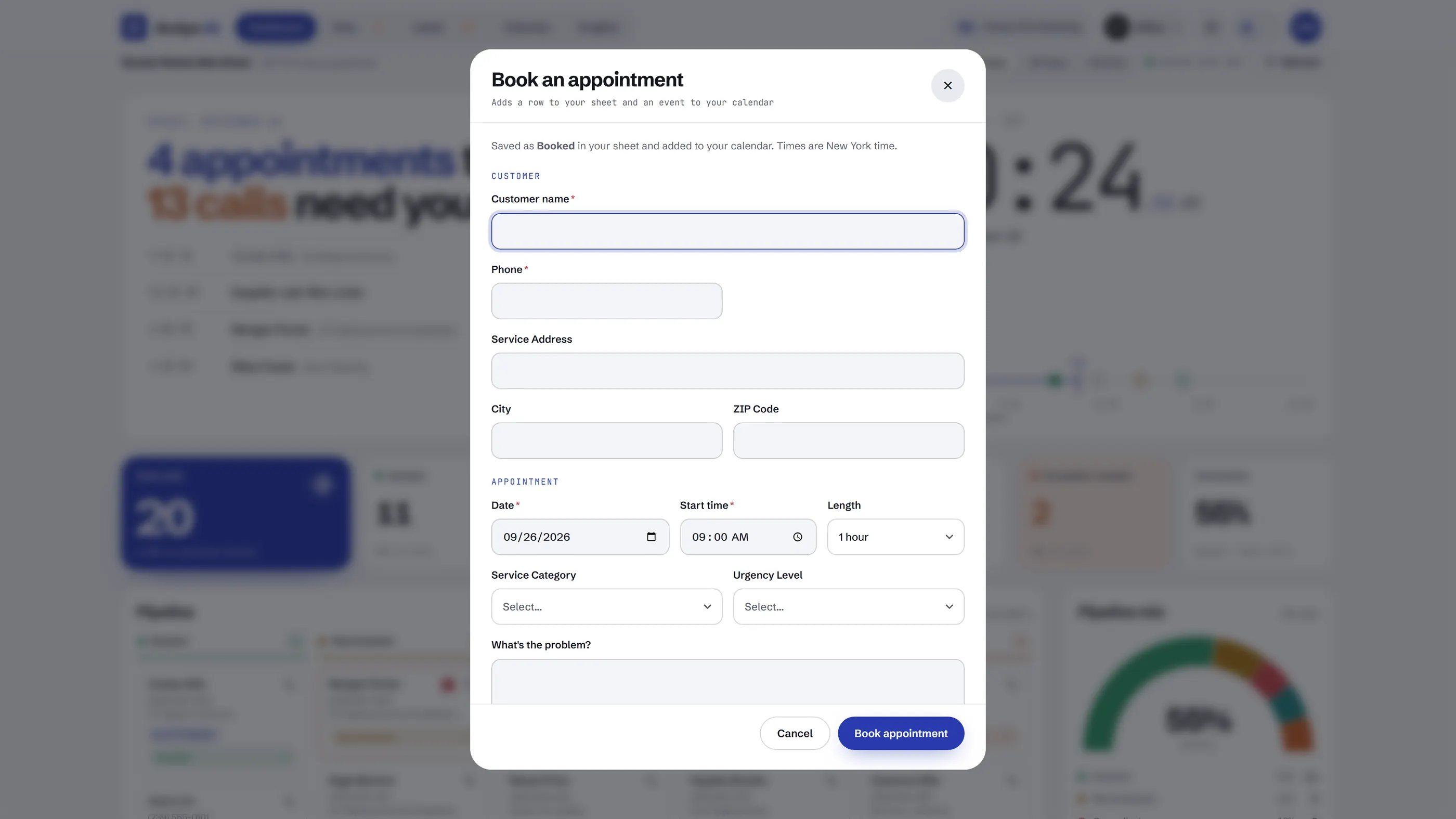
Took a call yourself? Add it once and it lands in your sheet and your calendar together.
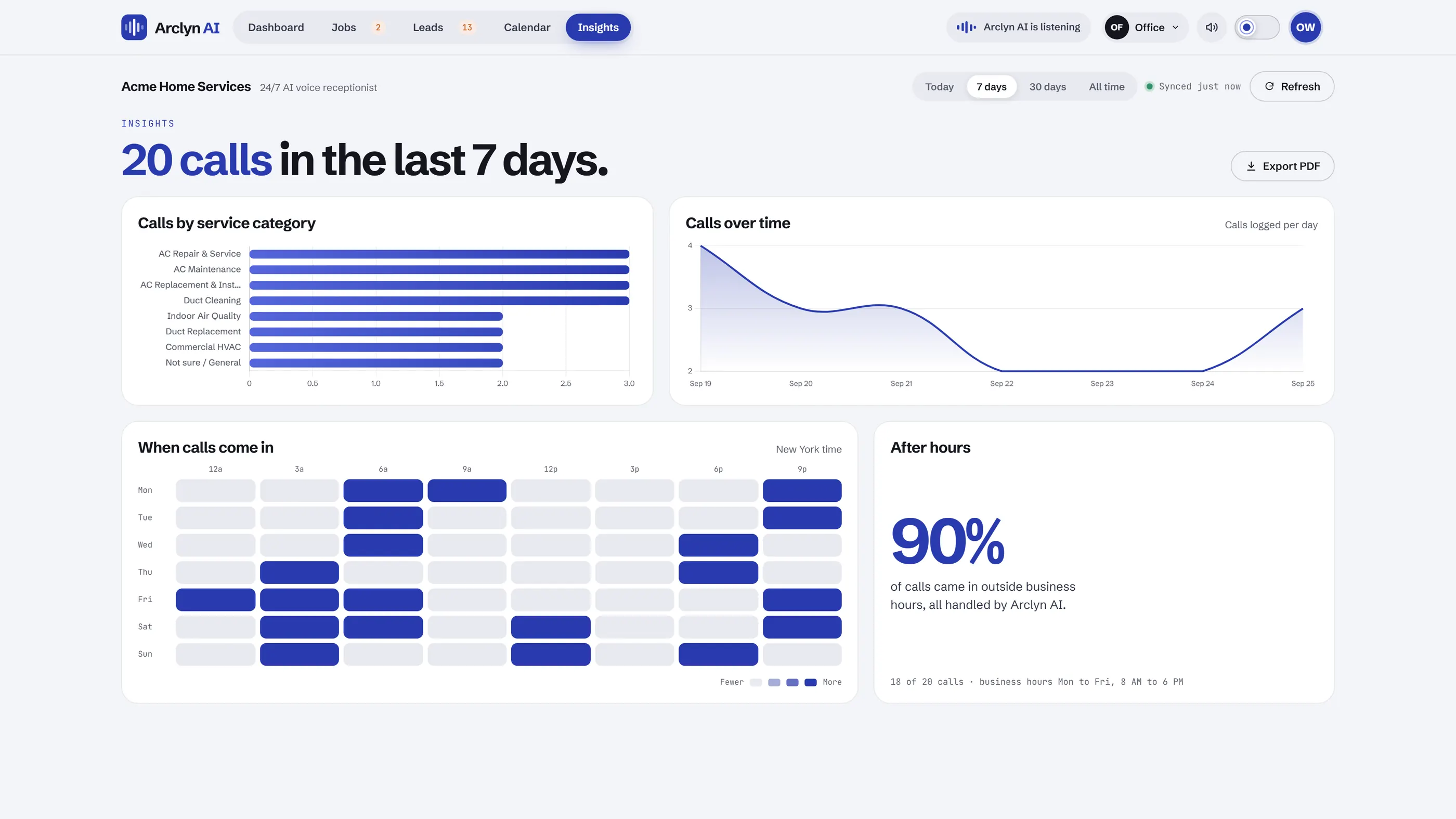
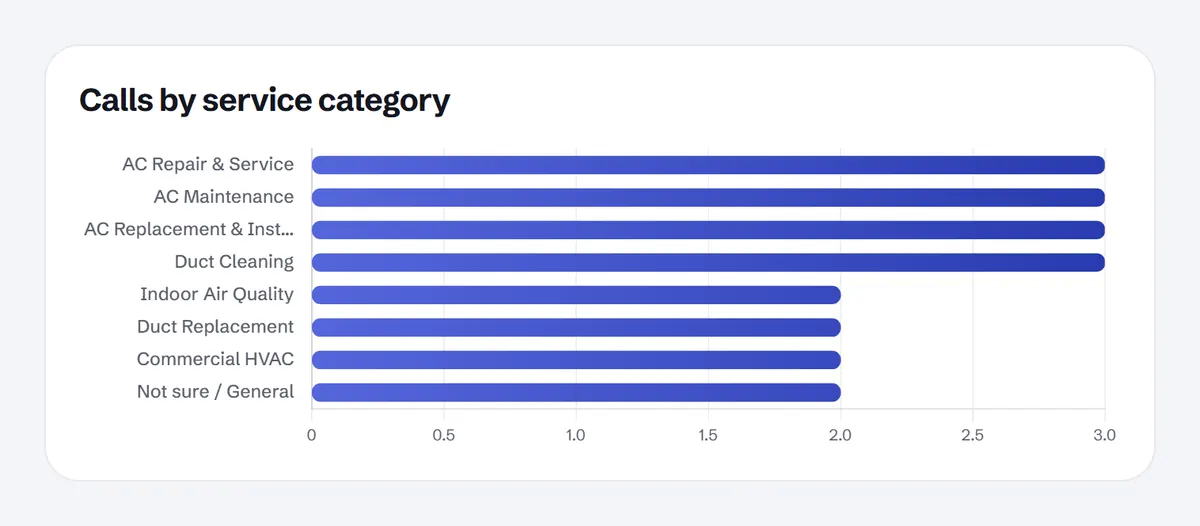
Calls by service and over time, plus a designed PDF report you can export in one click.
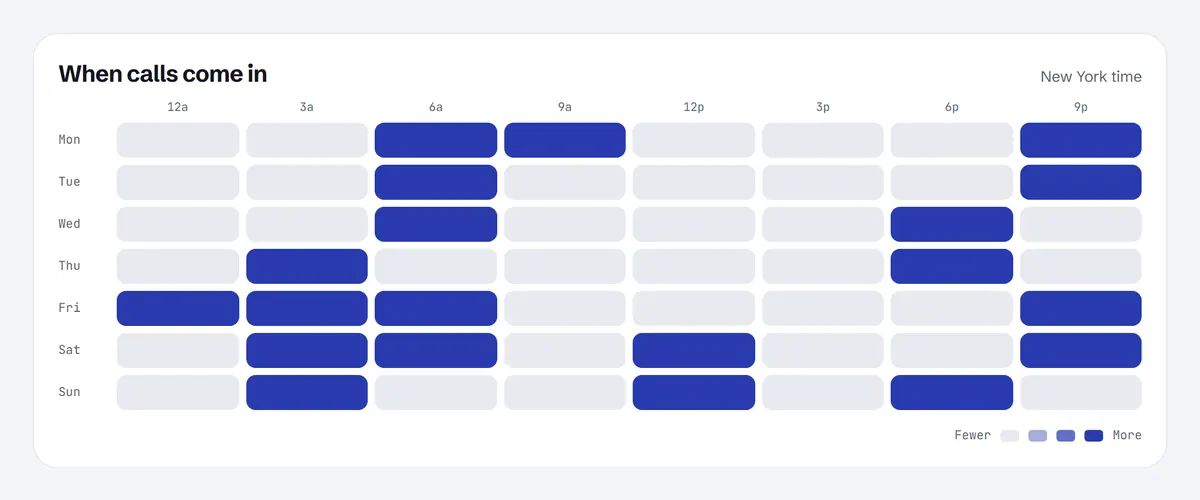
A heatmap of calls by day and hour, in your time zone.
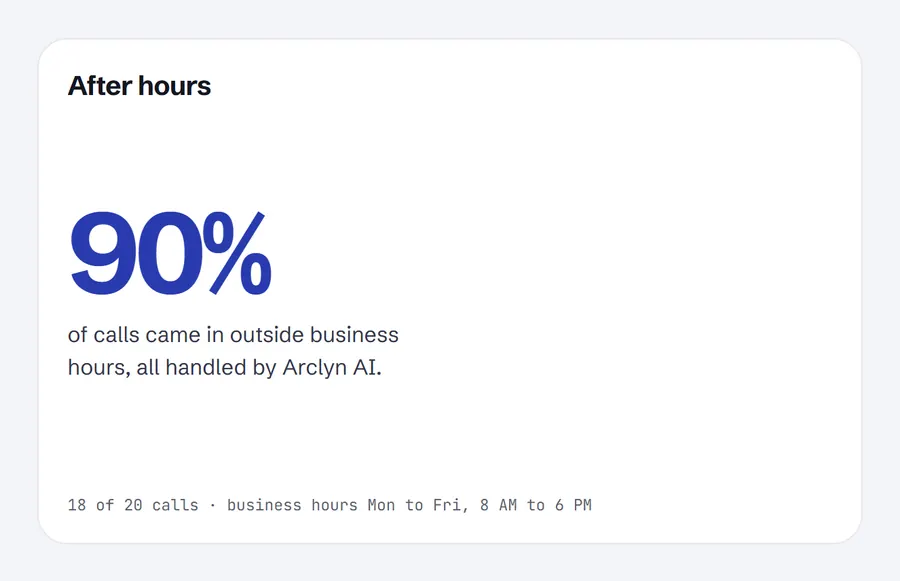
See how many calls came in while you were closed, all answered by Arclyn AI.
Dashboard
Leads
Jobs & crew
Calendar & Insights
Sample account. Demo data, not a real customer.
The dashboard has a light and a dark theme, and remembers the one you pick. Drag to compare.
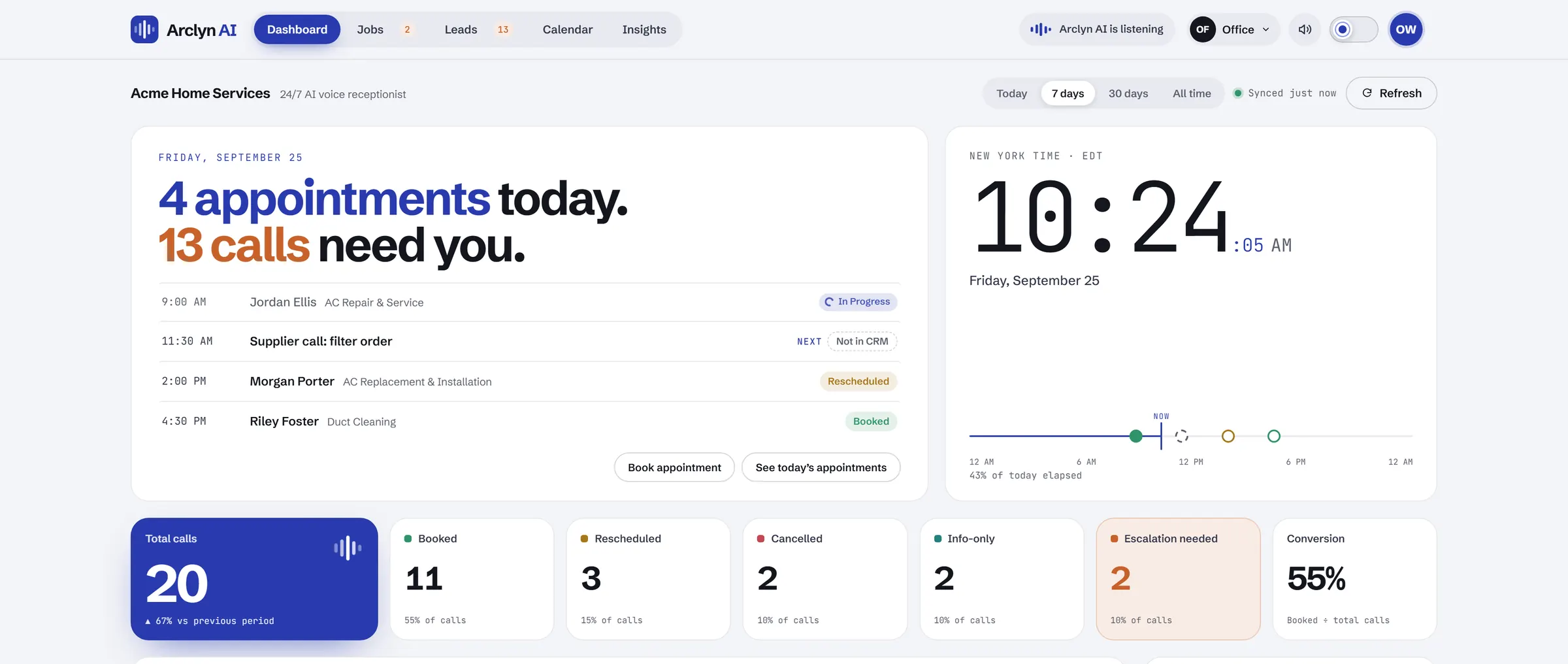
Built for phones, not squeezed onto them. Add it to your home screen and it opens like an app, no app store needed. Your technicians open it on their own jobs, and it comes with every plan, so there's no separate CRM bill to pay.
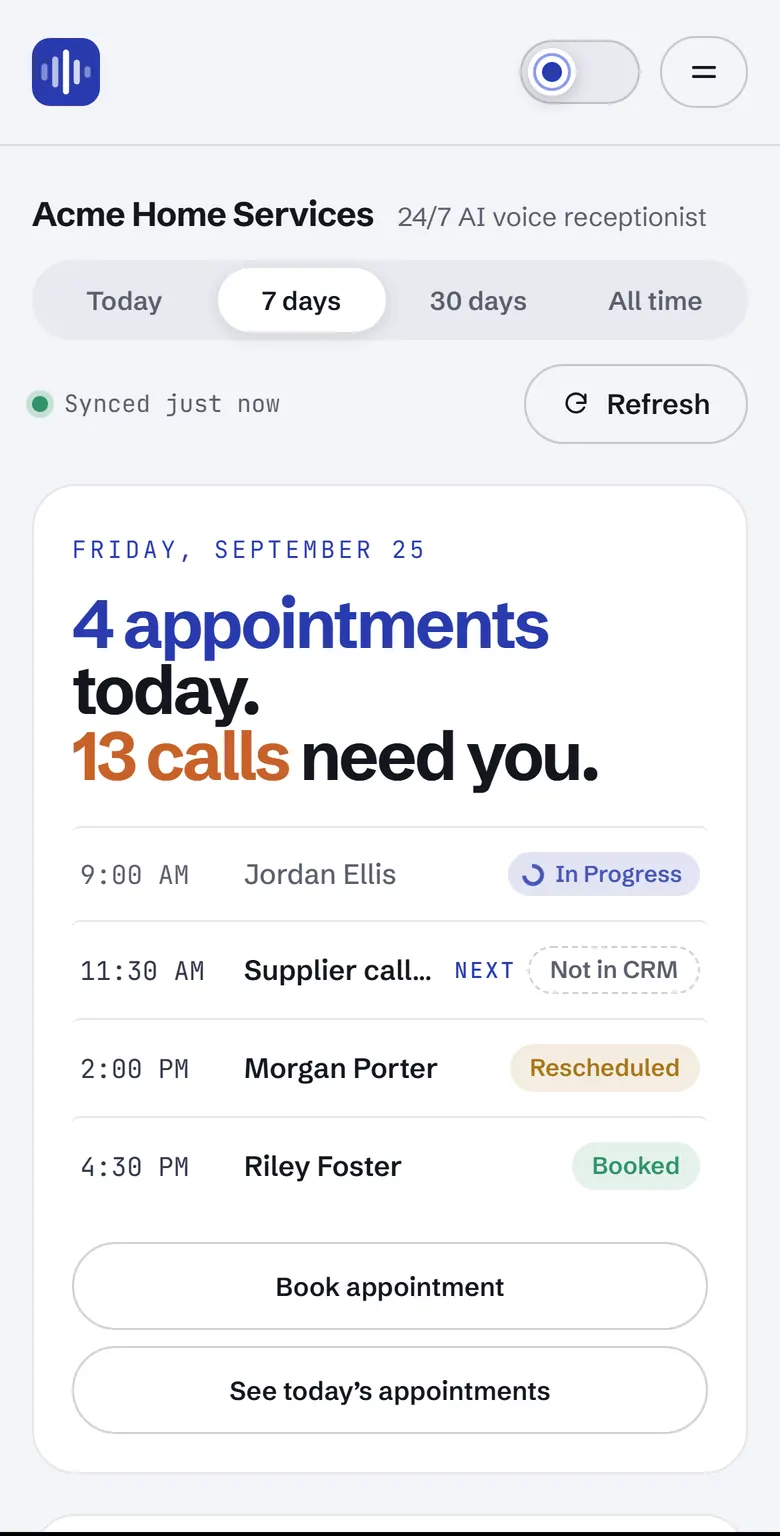
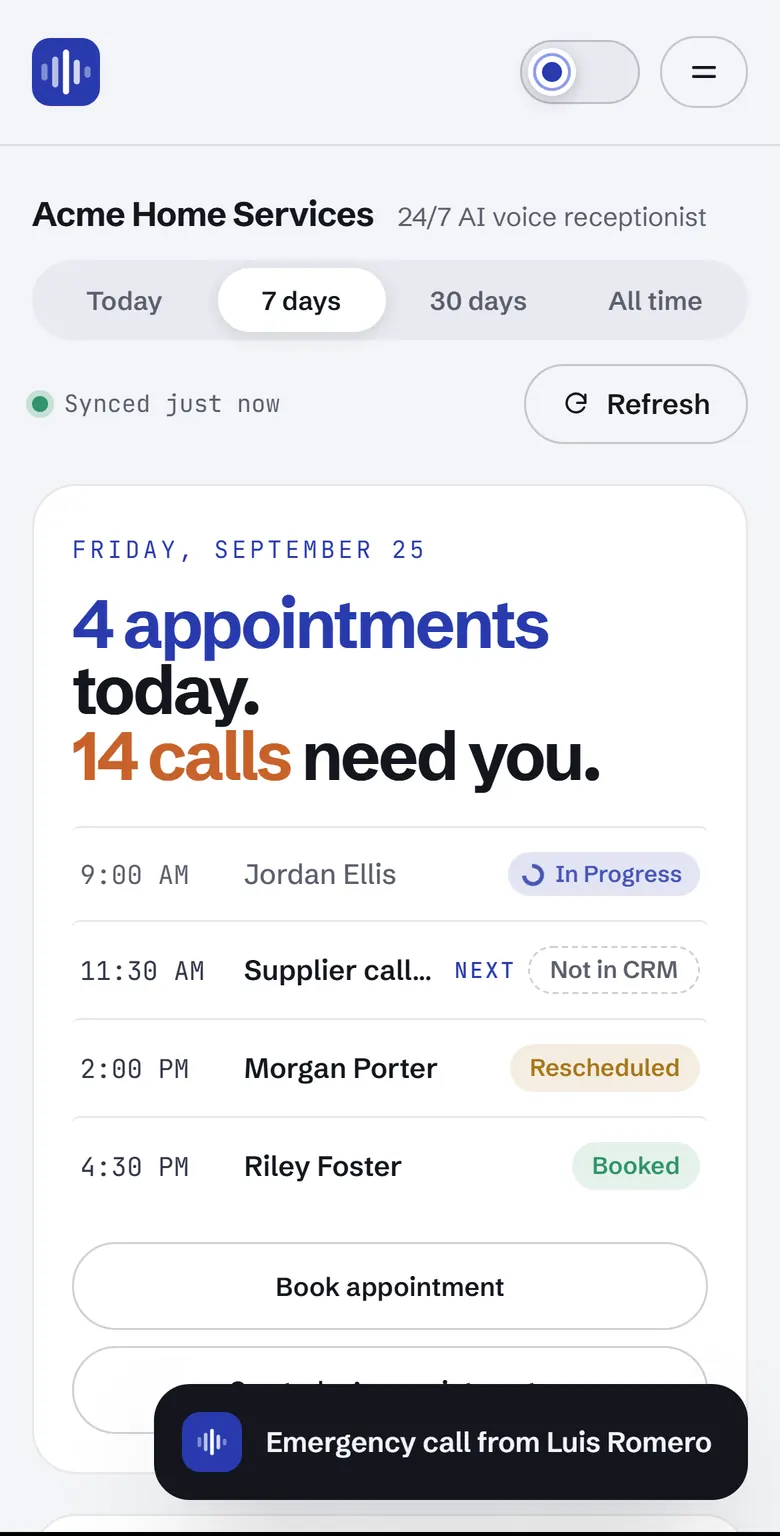
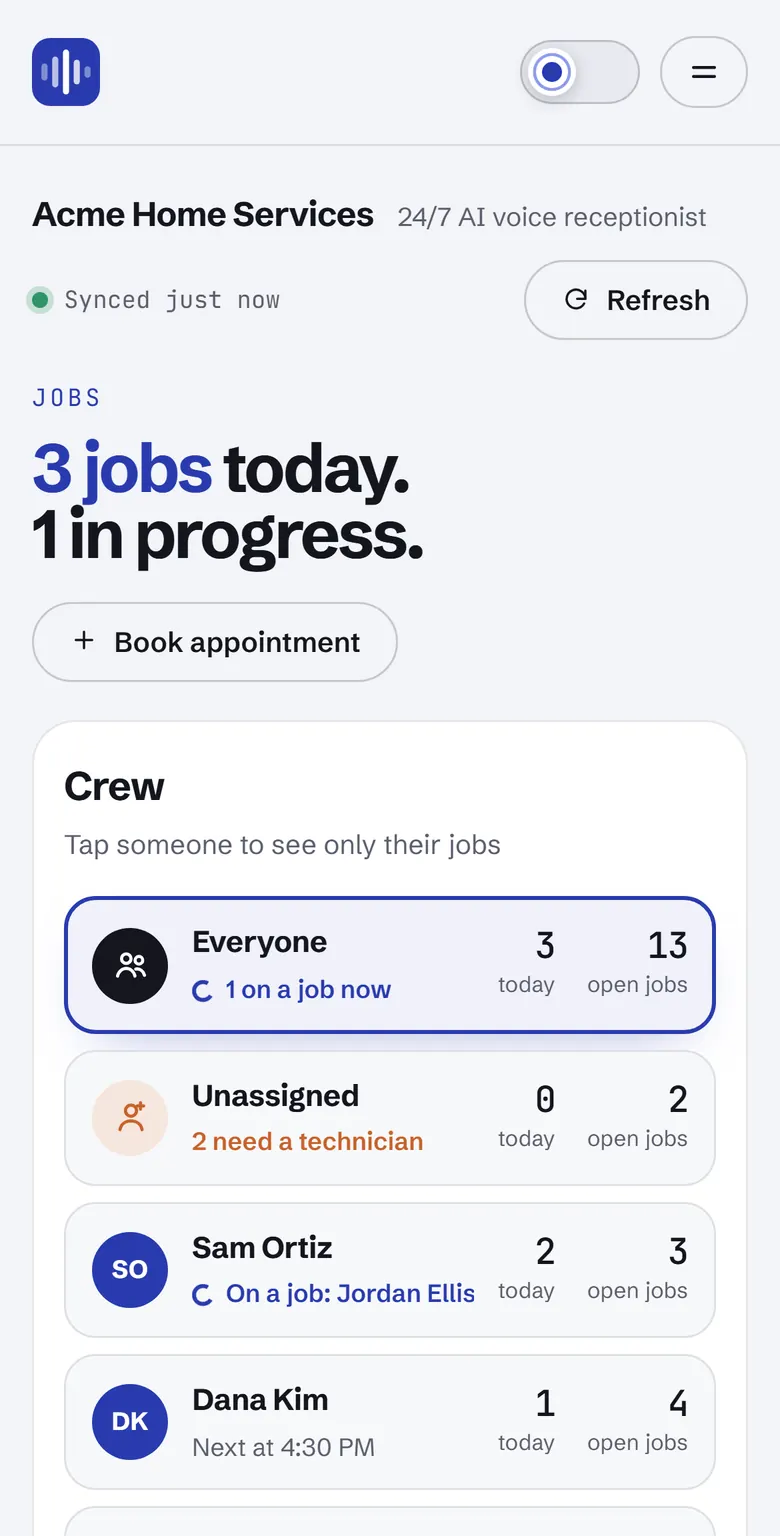
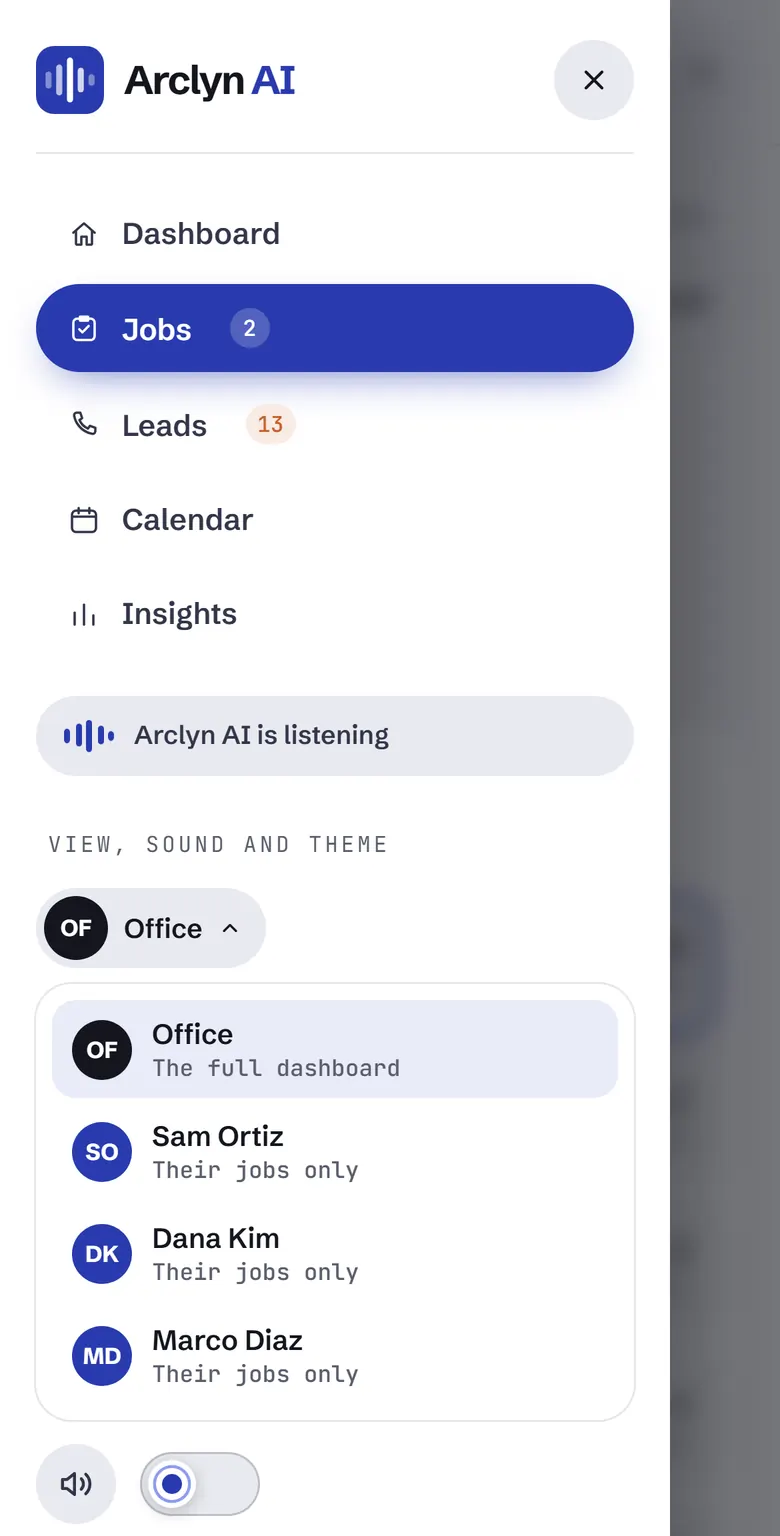
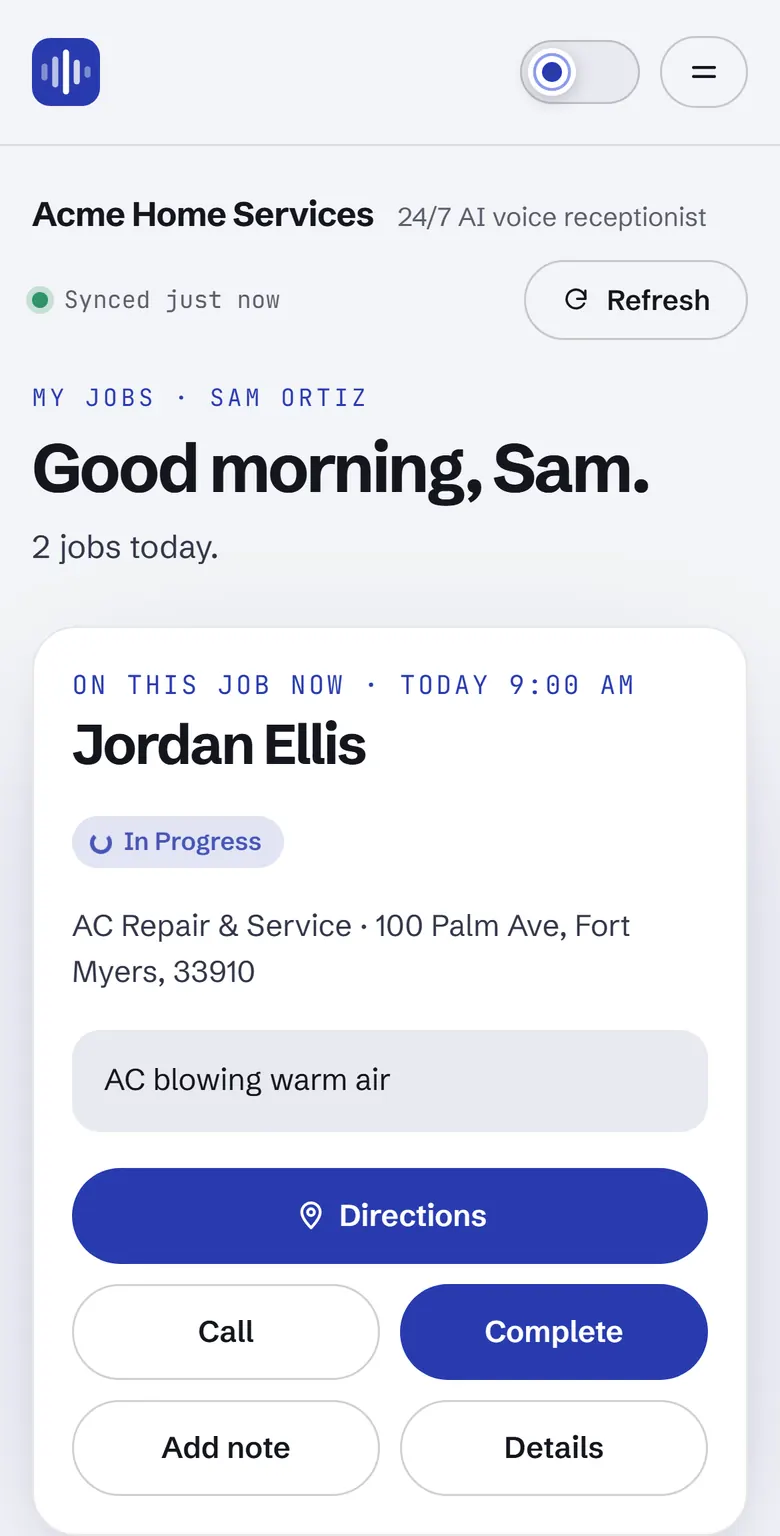
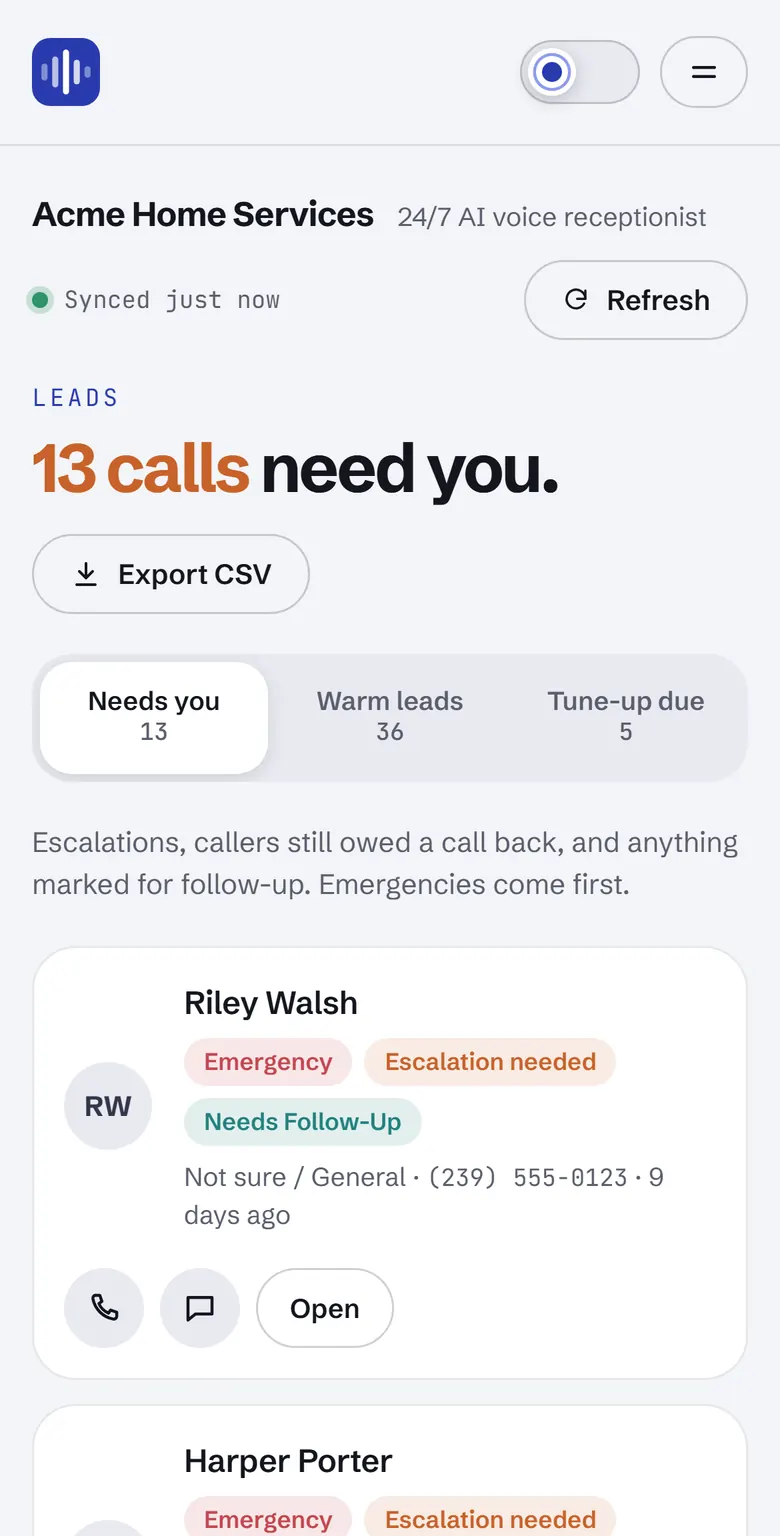
Installs like an app
Call, text, directions in one tap
Alerts even when it's closed
See it in action
Two short films. One follows a call from the first ring to the job on the calendar. The other walks through the whole dashboard. Pick a video and how you'd watch it.
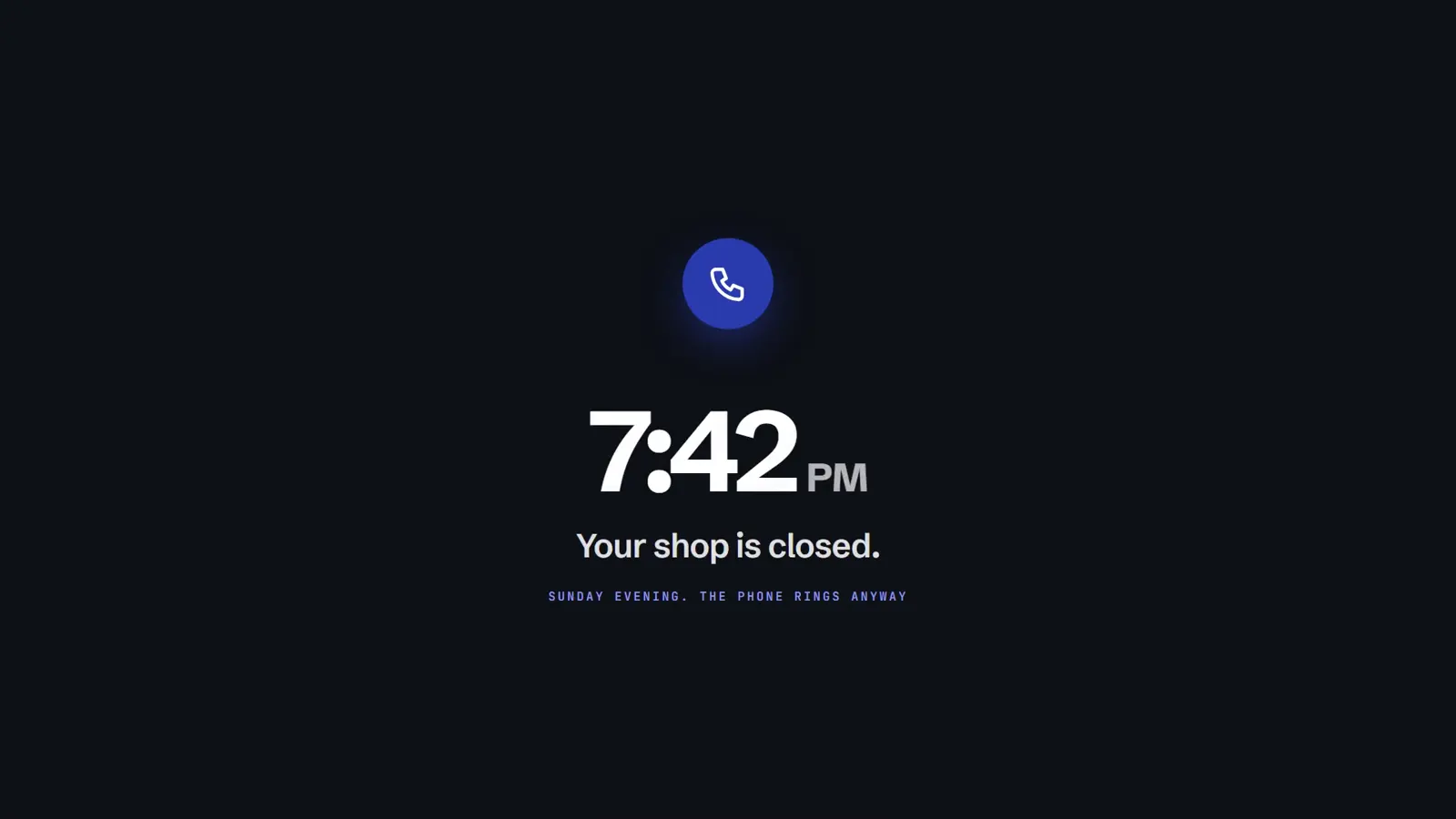
2:05
Founding-partner offer: the first 5 HVAC shops only
We're new, so we carry the risk. The first five HVAC shops to join get all four of these. Once those five spots are taken, this offer closes for good.
Founding offer 1 of 4
We set Arclyn AI up on your actual number and it answers your real customers for a full week. You watch the jobs land on your calendar, then decide. The first invoice only comes after you say yes.
$0 until you say yes.
Founding offer 2 of 4
If Arclyn AI doesn't book at least 3 real jobs in your first 30 paid days, you pay nothing for that first month.
Founding offer 3 of 4
$0 setup
Your call flow, calendar connection and test calls, done for you. That's up to $997 you don't pay.
Founding offer 4 of 4
24 months
Founding partners pay $227, $497 or $1,197 a month instead of the list price, and that price can't go up for 24 months from your go-live date.
Setup, changes and problems go straight to the founder, not a ticket queue. Your calls and jobs stay in your own Google Sheet, so you can cancel any time and keep everything.
Founding terms are for the first 5 HVAC shops only. The free-month guarantee covers your first month.
Every plan answers every call 24/7 in your business name, books jobs into your calendar and includes the live dashboard and phone app.
Owner-operators, 1-2 trucks
$297/month
+ $297 one-time setup
Founding partner$227/month, setup free
125 answered calls a monthExtra calls $1.50 each
Most shops pick this
Shops running 3-8 trucks
$697/month
+ $497 one-time setup
Founding partner$497/month, setup free
300 answered calls a monthExtra calls $1.50 each
9-20 trucks or 2-3 locations
$1,497/month
+ $997 one-time setup
Founding partner$1,197/month, setup free
700 answered calls a monthExtra calls $1.50 each
About the receptionist, the founding offer and pricing, answered plainly.
Still wondering about something?
Ask our assistant, message us on WhatsApp or email hello@arclynai.com. The founder replies personally.
An AI receptionist answers your business phone in a natural voice, 24 hours a day. Arclyn AI goes further than taking a message: it asks the questions a dispatcher would, books the job into your Google Calendar while the caller is on the line, and logs every call on your dashboard.
The first 5 HVAC shops get a free 7-day pilot on their real phone line, free setup, a founding price locked for 24 months, and a first-month guarantee: if Arclyn AI doesn't book at least 3 real jobs in your first 30 paid days, that first month is free. When the five spots are taken, the offer closes.
No. It writes into the Google Sheet and Calendar you already use, or ones we set up for you. Keep whatever you run jobs on today, or use the dashboard's built-in Jobs board to assign technicians and track each job.
You can run both side by side during your 7-day pilot, or turn the old one off on day one.
Yes. It answers at any hour, and on the Crew and Fleet plans, no-heat and no-AC emergencies are routed straight to your on-call tech, day or night.
Any call Arclyn AI picks up. Calls under 20 seconds, like hang-ups, spam and wrong numbers, don't count toward your plan.
We never stop answering. Extra calls are $1.50 each, and we warn you at 80% and 100% of your calls. On a yearly plan your calls are counted across the whole year, so the summer rush evens out.
Yearly costs 10 months' price for 12 months and setup is free. It can start after your first paid month. Monthly plans are month to month and you can cancel any time. Founding prices are billed monthly.
No. Every call and appointment is written to a Google Sheet and Calendar under your own account. Cancel any time and keep everything.
Open the call from the dashboard and edit or cancel it in a few seconds.
Most shops are live within a week. That covers call flow setup, connecting your calendar, and testing with real calls before it reaches your actual customers.
Five founding spots. A free 7-day pilot on your real line. And if it doesn't book 3 jobs in your first month, that month is on us.
Start your free pilotNo invoice until you say yes.
Send a note about your shop. The founder reads every message and replies personally, whether it's about setup, pricing or how Arclyn AI would fit the way you work.
Thanks. The founder will get back to you soon.